
Chargebacks on Shopify: What They Are and How to Win Them

Your payout lands, and it's short. A customer has pushed a dispute, Shopify has already pulled the disputed amount plus the fee from the next payout, and now the clock is running before you've even had time to open the case. If you've ever stared at a cleaner-than-expected balance and felt the stomach drop, you already know why chargebacks on Shopify feel different from ordinary refunds, they hit cash flow first and arguments later.
That timing changes everything. A good dispute process on Shopify is not just about winning cases, it's about keeping evidence organized, watching the rolling rate, and knowing when Shopify's own automation helps or hurts you. For a practical dashboard view of the platform side, Shopify data insights for retailers is a useful reference point alongside the operational work you're doing inside admin.
When a Shopify Chargeback Hits Your Account
The first sign is usually a short payout. Shopify removes the disputed amount and the chargeback fee from available funds before you have a chance to respond, as Shopify describes. If your margin is thin, that cash-flow hit lands before the case is even argued.
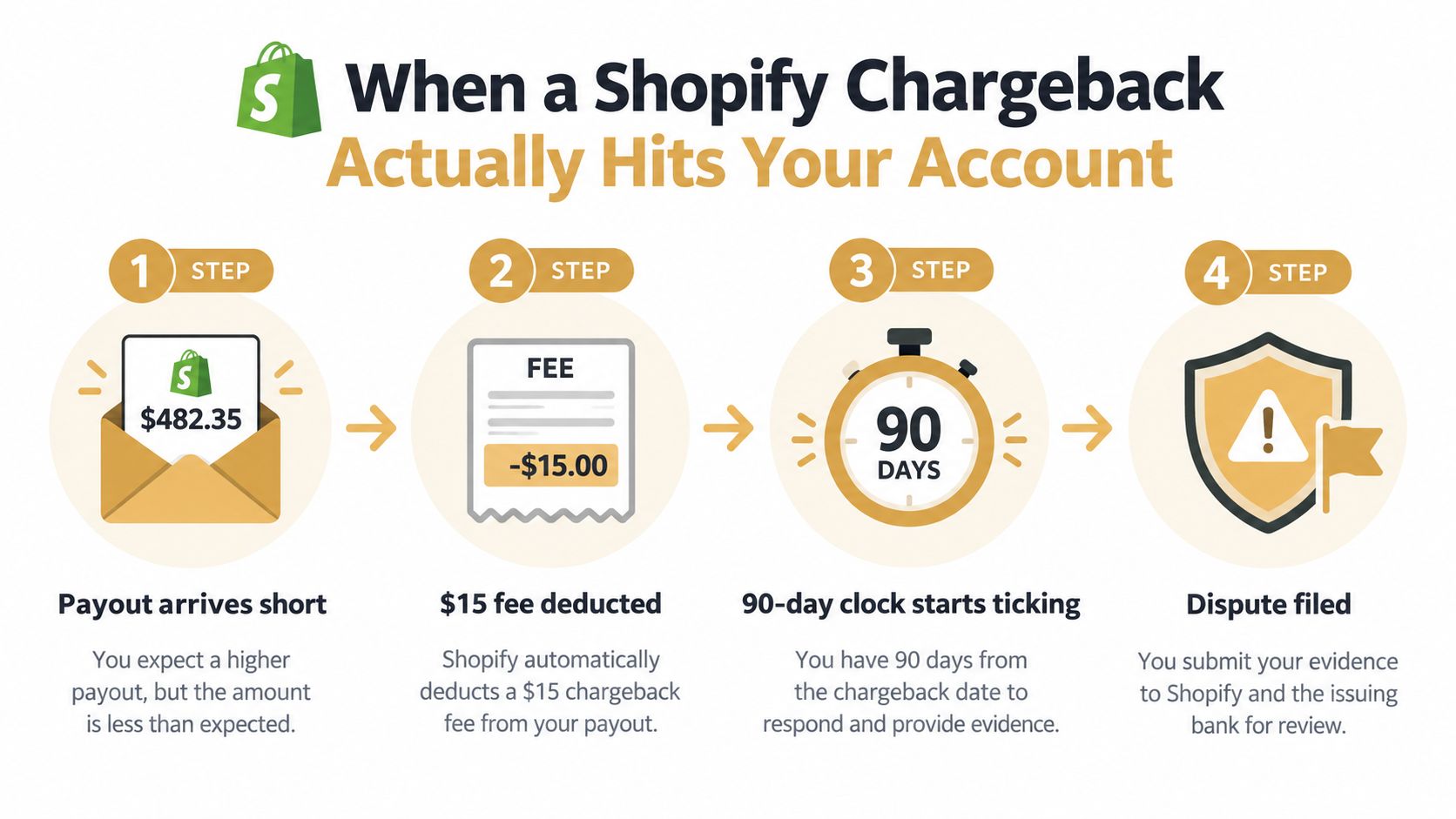
What the merchant sees first
The deduction is not something you can stop in advance. Shopify confirms that the disputed amount and fee are removed before representment, so the loss shows up before your evidence is reviewed. That is why chargebacks on Shopify are a liquidity event as much as a dispute.
The practical problem is records. If order history sits in one tool, delivery proof in another, and customer emails in a third, you lose time the moment the notice arrives. Good dispute handling starts with fast access to fulfillment data, billing records, and the customer thread.
Why Shopify merchants feel it harder
On Shopify Payments, the dispute sits inside the same environment as the order and the payout, so the damage is visible where you already watch revenue. It feels less like an abstract processor event and more like a direct hit to the store's operating cash.
That visibility also changes the trade-off. Teams trying to keep their chargeback rate down can end up auto-resolving disputes they might have won in a card-network review, especially under monitoring-program pressure. The result is cleaner ratios on paper, but more money left on the table. That is the tension at the center of Shopify data insights for retailers as well, clean reporting only helps if the dispute workflow behind it is disciplined.
A Shopify chargeback is already operational before it becomes a legal or network decision. Evidence readiness, payout timing, and response discipline matter more than whether the buyer was “right” or “wrong.”
Practical rule: if you cannot assemble proof quickly, you are already behind the dispute volume you have.
How Shopify Handles a Chargeback Step by Step
A chargeback on Shopify starts as a payout problem before it becomes a dispute problem. The customer challenges the charge, the amount and fee are pulled back, and Shopify alerts you to submit evidence in the admin chargeback process details. Shopify treats that evidence as representment, the packet the card network reviews before deciding whether the funds return to you or stay with the cardholder.
The clocks you need to watch
Three clocks matter at once. Shopify says the response window is typically 7 to 21 days after the chargeback is filed, the card network review can take up to 75 days after submission, and the money is already deducted by the time the case appears. Those timelines do not move together, and that is where teams lose control.
A rushed submission can be costly. Weak evidence sent early still becomes the record the network sees. Waiting too long is worse, because Shopify will send whatever it has by the due date, and you lose the chance to shape the packet yourself.
What representment means
Representment is your formal attempt to prove the charge was valid. The evidence has to match the dispute reason, so delivery confirmation, customer messages, billing records, transaction details, and other case documents need to speak directly to the claim being made.
The cash-flow issue comes after the deduction, not before it. Even a winnable case can strain operations if your team responds slowly or keeps the wrong records in the wrong place. For stores running multiple channels and high ticket volume, the dispute queue belongs in the same category as revenue control, not inbox cleanup.
Why Shopify Stores Get Disproportionately Charged Back
The most frustrating disputes are rarely random. They usually trace back to a handful of store-level issues, and the same patterns show up over and over, especially in Shopify stores that move fast, rely on recurring billing, or sell digital goods. Friendly fraud, subscription confusion, vague descriptors, and weak delivery proof are the categories I'd look at first.
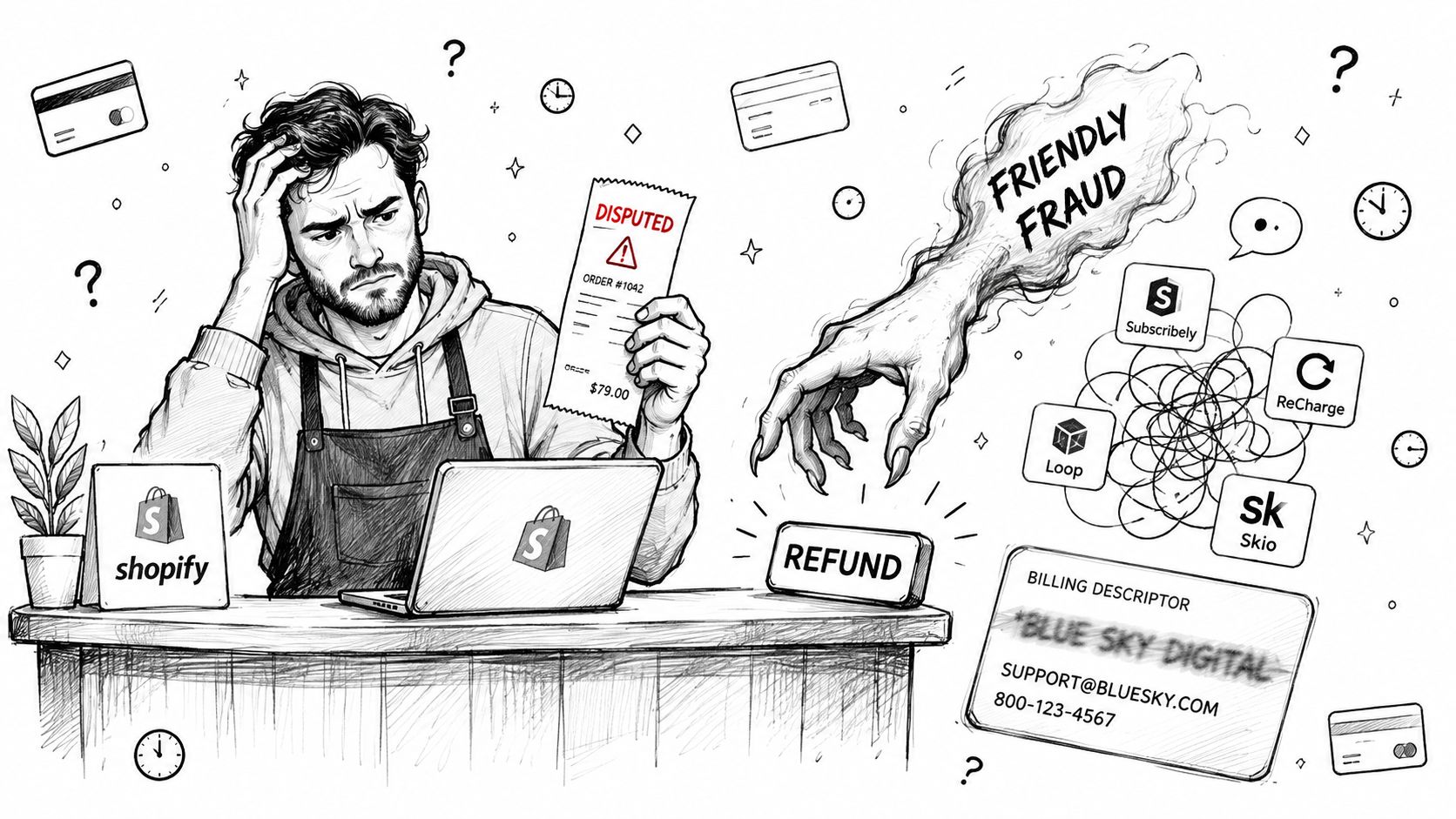
The patterns that show up most often
Friendly fraud usually maps to fraud or unrecognized disputes. The customer bought the item, then forgot, didn't recognize the descriptor, or decided to reverse it after the fact. If your billing name is unclear or your support response is slow, that case becomes a chargeback instead of a conversation.
Subscription confusion often lands in subscription-canceled or general dispute categories. A cardholder may say they didn't understand the renewal terms, didn't see the cancellation path, or thought a trial had ended differently. A short, plain-language renewal notice and cancellation record matter more here than a polished brand story.
Shipping issues tend to show up as product-not-received disputes. If you can't prove the item was delivered to the right address, or if the tracking record is thin, the cardholder has a stronger position than your internal belief that “it definitely arrived.”
Digital products create a different evidentiary problem. For software, downloads, memberships, or other non-physical goods, you need logs and access records, not shipping confirmations. Without those, you're arguing from intent instead of proof.
Why a high-volume store feels it first
The higher the order count, the faster small leakage compounds. A few avoidable disputes each week may not look dangerous in isolation, but they inflate the admin burden, distort the chargeback picture, and make monitoring-program thresholds easier to hit. That's why disputes on Shopify should be segmented by reason, not treated as one undifferentiated pile.
For a deeper look at high-dispute patterns and why stores drift into danger zones, this explainer on high chargeback rate risk is worth keeping handy.
Practical rule: if the same reason code keeps appearing, fix the root cause before you spend another hour on representment.
The Hidden Cost of Letting Shopify Auto-Resolve Disputes
A Shopify dispute can hurt twice. The first hit is the deduction from your account before the case is fully worked. The second is harder to spot, because Shopify measures chargeback rate as chargebacks in a month divided by chargeback-eligible transactions in that month, and a won dispute still counts toward that rate because the metric tracks filed disputes, not outcomes Shopify's dispute-rate definition. Cash recovery matters, but it does not clear the monitoring record.
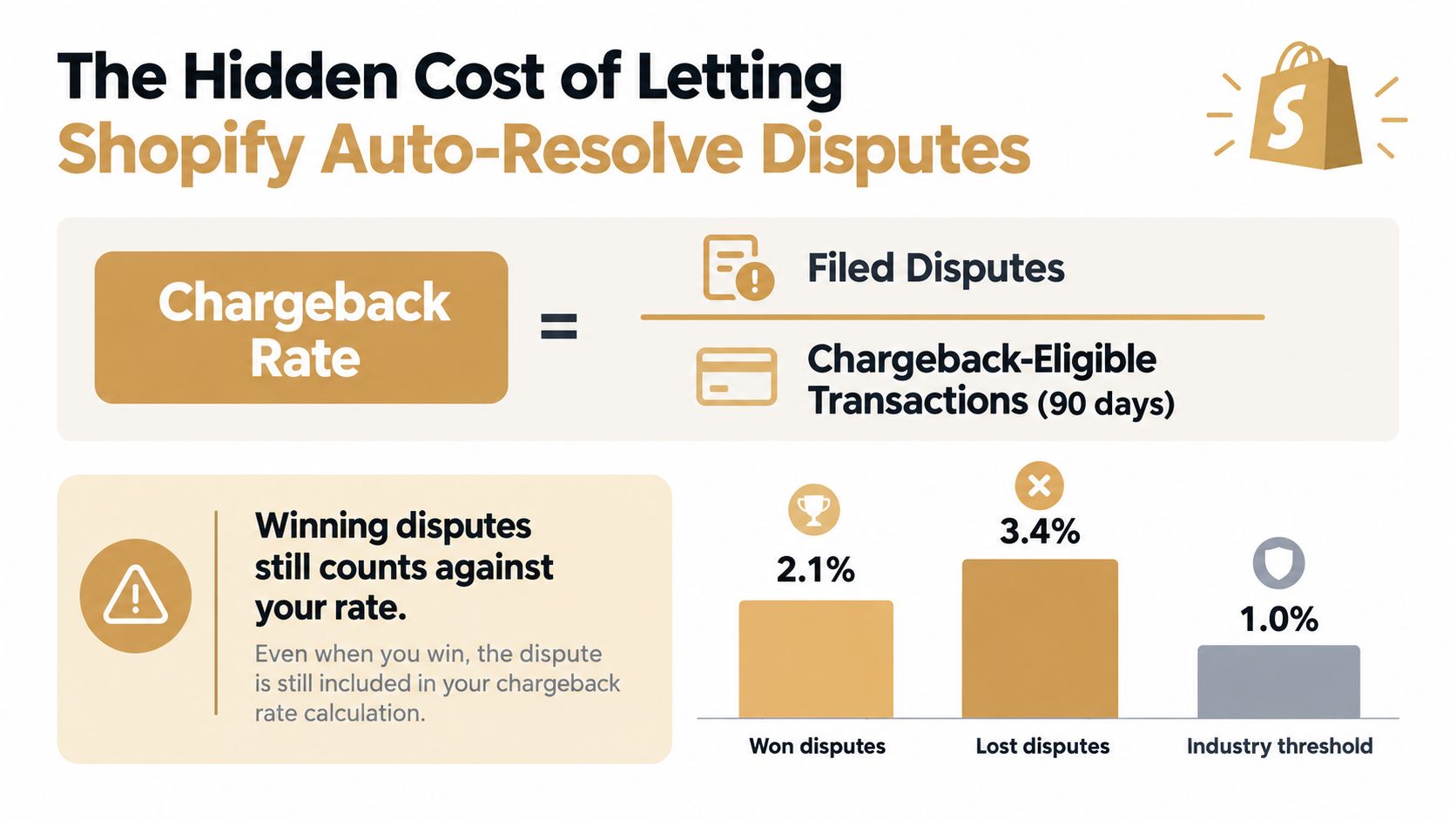
Why rate optimization can backfire
The monthly number can improve while the operating picture gets worse. Shopify says merchants with a network-dispute-resolution-program-inclusive chargeback rate of 1.5% or higher over the previous 90 days may be automatically enrolled in such a program. Once that happens, disputes can be resolved automatically and the customer can be reimbursed, while the merchant pays a fee.
That sounds efficient until you look at what gets traded away. Shopify's network dispute-resolution programs can close disputes before they become formal chargebacks, which means the usual evidence window may never open. If you have strong delivery proof, access logs, or other records that would have beaten the claim, auto-resolution can turn a winnable case into a paid refund.
For stores with clean operations, that is the cost. You may lower the visible rate by giving up recoverable revenue, and sometimes you still pay a fee for the privilege.
A simple example makes the math obvious. Shopify notes that 15 disputes among 1,000 eligible transactions equals a 1.5% rate under its calculation. That is enough to show how a relatively small stream of disputes can push a store into monitoring pressure.
The trade-off is blunt. If you only watch the public rate, you can end up optimizing the wrong thing. The chart looks better, but the business gives up cases it could have won and absorbs the loss anyway.
Key takeaway: a lower rate is not the same as lower dispute cost. If Shopify auto-resolves cases that your evidence could beat, the dashboard improves while cash flow takes the hit.
Three Defensible Layers of Shopify Chargeback Prevention
The stores that stay out of trouble don't rely on one fix. They build three layers, checkout design, evidence collection, and pre-chargeback alerts, because each layer catches a different kind of mess. If you try to make shipping proof solve a descriptor problem, or an alert tool solve a sloppy cancellation policy, you'll keep paying for the gap.
| Prevention layer | What it catches | Cost / effort | Where it stops working |
|---|---|---|---|
| Checkout and policy design | Unrecognized charges, subscription confusion, avoidable buyer remorse | Low to moderate, mostly setup and copy changes | Doesn't stop true delivery disputes or post-purchase fraud |
| Operational evidence collection | Product-not-received, product-unacceptable, refund and cancellation disputes | Moderate, requires process discipline and recordkeeping | Fails when records are missing or scattered |
| Pre-chargeback alert tools | Some disputes before they become formal chargebacks | Ongoing platform cost and routing setup | Doesn't help if the alert arrives after action is due |
What each layer is really for
Checkout and policy design are about reducing ambiguity. Clear billing descriptors, plain return language, and visible refund paths stop a lot of unrecognized and subscription-related disputes before they become escalations. That's cheap, but it only works if your customer can read and understand what they bought.
Operational evidence collection is where teams underinvest. If support, shipping, and order data don't line up, representment gets weak fast. This is the layer that keeps a good order from looking bad on paper.
Pre-chargeback alerts sit in the middle. They're useful when you want to refund selectively before a formal chargeback is filed, but they can't fix poor merchant records or vague policies. They're a control tool, not a substitute for process.
A virtual assistant can help keep those layers moving, especially when someone needs to chase proofs, tag cases, and update policy pages without pulling a senior ops lead off revenue work. If you're comparing staffing options, ecommerce virtual assistant is relevant because this work is repetitive enough to delegate, but sensitive enough to require clear SOPs.
For merchants evaluating a Shopify-specific protection stack, Shopify chargeback protection guidance is a practical reference point.
A Practical Shopify Prevention Workflow You Can Ship This Week
The fastest improvements usually come from small, boring edits. I'd start with the settings and communications that reduce confusion, then move to proof capture, then tighten the subscription language. That order makes sense because it cuts down the disputes you don't want while making the remaining ones easier to defend.
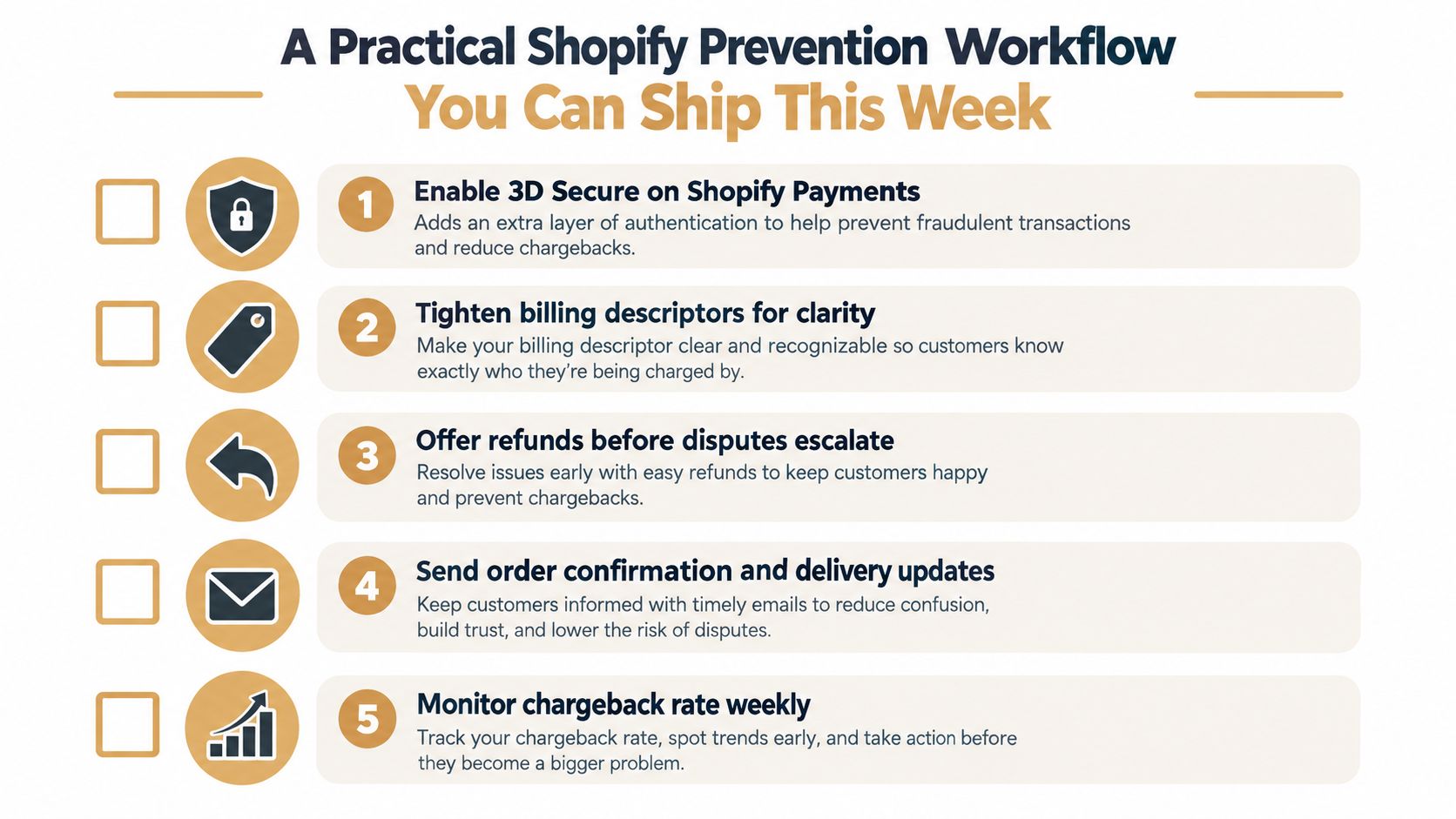
The week-one checklist
- Enable 3D Secure where it fits your risk profile. It won't solve every fraud case, but it can add a meaningful authentication step before payment completion.
- Tighten the billing descriptor. Make sure the merchant name customers see is recognizable and consistent with the brand they know.
- Put refund and cancellation links where people can easily find them. Order confirmations are a good place because that's when customers are most likely to check their receipt.
- Capture shipping proof and order metadata early. Delivery tracking, customer messages, and order details are far more useful when they're stored before a dispute appears.
- Write subscription terms like a human will read them. Short billing terms beat legal wallpaper every time.
The point is not to create perfect immunity. It's to remove the easy dispute triggers and leave yourself with cases that are easier to prove. That's a much better use of a team's time than trying to fight every unhappy customer after the money is already gone.
What to turn on first
If your volume is low, focus on descriptor clarity and shipping proof first. If you run subscriptions or high-volume DTC, get cancellation messaging and evidence capture in place next. If your order flow is already generating disputes, authentication and pre-chargeback routing deserve more attention because they cut off repeat pain earlier in the lifecycle.
A useful rule is to prioritize whatever shows up in support first. The language customers use in tickets usually predicts the dispute reason code you'll see later. When the same complaint keeps repeating, your prevention stack is telling you where to look.
How to Win a Shopify Chargeback Once It Is Filed
Once the chargeback lands, the work shifts from prevention to proof. You are not trying to persuade the shopper anymore. You are answering the card network's question with records that match the reason code, and Shopify lets you handle that from the order in admin, where the case shows the deadline and the reason category you need to address.
Evidence that helps
For a fraud or unrecognized case, the strongest evidence ties the cardholder to the purchase. Use order details, billing data, shipping records, and customer messages. For product-not-received disputes, tracked delivery proof carries the most weight. For subscription and refund disputes, the customer-facing terms, the cancellation record, and refund history matter most.
Weak evidence burns the response window. A stack of screenshots without context, or a generic “our policy says no refunds” attachment, rarely beats a clean order trail. If the file does not answer the stated reason, it will not carry much weight.
A reconciliation checklist
Before you submit, reconcile the money movement tied to the dispute so finance and support are working from the same case.
- Shopify Payments deduction. Confirm the disputed amount has been removed from the payout.
- Chargeback fee. Record the fee charged for the case. Shopify charges a $15 chargeback fee in the United States, with local variation by market.
- Network-program fee. If the case was auto-resolved through a network program, separate that fee from a normal chargeback fee.
- Processor reserves. Check whether any reserve or payout hold is affecting the same cash flow.
The other number to watch is the rolling rate in Analytics over the last 90 days. Shopify uses that period for program eligibility checks. If your rate starts creeping up, clean up the case mix before an official notice forces the issue.
There is a trade-off here that merchants miss until they are inside the workflow. Shopify's cash-flow timing means funds can be deducted before your representment is reviewed, and a lower chargeback rate can also push network programs to auto-refund disputes you might have won. That makes selective fighting matter. A simple way to pressure-test that workflow is to compare your current process with chargeback fighting guidance.
Practical rule: submit evidence that answers the dispute reason, not evidence that merely proves you are a legitimate business.
Wiring a Chargeback Alert Tool Into Shopify Payments
If you're deciding whether to let Shopify auto-resolve disputes or keep more control, the question is timing and selectivity. A chargeback alert tool is useful when you want notice before a formal chargeback is filed, because that can let you refund only the cases you'd lose and keep fighting the ones with solid proof. That control matters most for stores with recurring billing, high ticket values, or a lot of mixed evidence quality.
What to check before you connect anything
- Integration speed. You want a tool that connects to Shopify Payments without a long implementation project.
- Processor coverage. If you also process outside Shopify Payments, the tool should handle those routes too.
- Refund-rule control. You need the ability to decide which alerts trigger a refund and which get held for review.
- Filtering logic. A good system should screen out disputes you'd probably win anyway instead of auto-refunding everything.
- Pricing clarity. Pay-per-alert or transparent per-case pricing is easier to forecast than hidden tiers.
That last point matters because the cost trade-off is not just about software fees. It's about who gets control of the outcome, Shopify's network program, your team, or the alert layer in the middle. If you're running payments in more than one place, you also want a tool that fits the same workflow across channels, including use cases like taking payments at the repair counter, where dispute data still needs to stay clean even when the sale happens offline or in person.
A healthy steady-state program is simple to describe. The team sees disputes early, refunds the weak ones fast, preserves the strong ones for representment, and tracks the 90-day rate before it turns into a payout problem. If that's not what your current setup does, the setup is the issue, not the customers.
If you want a dispute workflow that gives you earlier visibility, clearer filtering, and faster action on the cases worth refunding, Disputely is built for that exact gap. It connects chargeback alerts and evidence handling into one workflow for Shopify merchants who want more control over disputes before they harden into losses. Visit Disputely to see how it fits your store.


