
Do Not Honor Declines Explained and How to Fix Them

A customer reaches checkout, enters a legitimate card, and receives “Do Not Honor.” The customer doesn't know what to change. Your support agent sees no useful explanation. Your payment dashboard shows a failed authorization, but not whether the issuer detected unusual activity, rejected the transaction because of balance pressure, or wants the cardholder to try again later.
That ambiguity creates two bad reactions. Some teams retry immediately, while others treat every instance as a permanent card failure. Neither approach works reliably because Do Not Honor is not one consistent event. It's a generic issuer refusal whose meaning changes with the card network, market, transaction history, and advice returned by the payment network.
This guide gives ecommerce and subscription teams a practical way to read the signal. You'll learn what the code means, why it hides several different causes, how to investigate it in a processor dashboard, and how to decide whether to retry, revalidate the payment details, ask for another method, or stop using the same card data. You'll also see how careless retry behavior can worsen the customer experience and create downstream dispute risk.
Introduction Why Do Not Honor Stops Good Transactions
A returning subscriber renews a plan with the same card that worked last month. The order looks ordinary, the customer still wants the service, yet the issuer declines it with Do Not Honor. Your billing system then sends a generic payment-failed email, leaving the customer unsure what to change.
The message also limits what your operations team can conclude. The issuer refused the authorization, but the response may conceal whether a risk rule fired, the account faced balance or limit pressure, or the cardholder needed to confirm the activity with the bank. The phrase alone cannot identify the cause.
Treating every instance the same creates avoidable problems. An immediate retry can repeat the issuer's risk signal, while failing to retry can abandon a recoverable renewal. A vague or delayed message may interrupt service, push the customer to abandon the purchase, or contribute to a later dispute about an unclear billing experience.
Operational rule: Treat Do Not Honor as a request for investigation, not as a complete diagnosis.
The practical workflow starts with the card network and the detailed response context, not with the decline label alone. Visa may return advice codes that guide retry timing or indicate when another attempt is inappropriate. Other networks and issuers can expose different behavior, so your dashboard should help the team compare the network, transaction history, response details, and prior attempts.
Use that context to choose one of three paths: retry when the network advice supports another attempt, revalidate payment details when the record points to stale or incomplete information, or stop retrying and request another payment method when the refusal persists or the guidance rules it out.
This approach turns a vague issuer refusal into a controlled decision. It also connects authorization handling with subscription recovery, dashboard triage, customer communication, and chargeback prevention.
What Do Not Honor Really Means for Payments
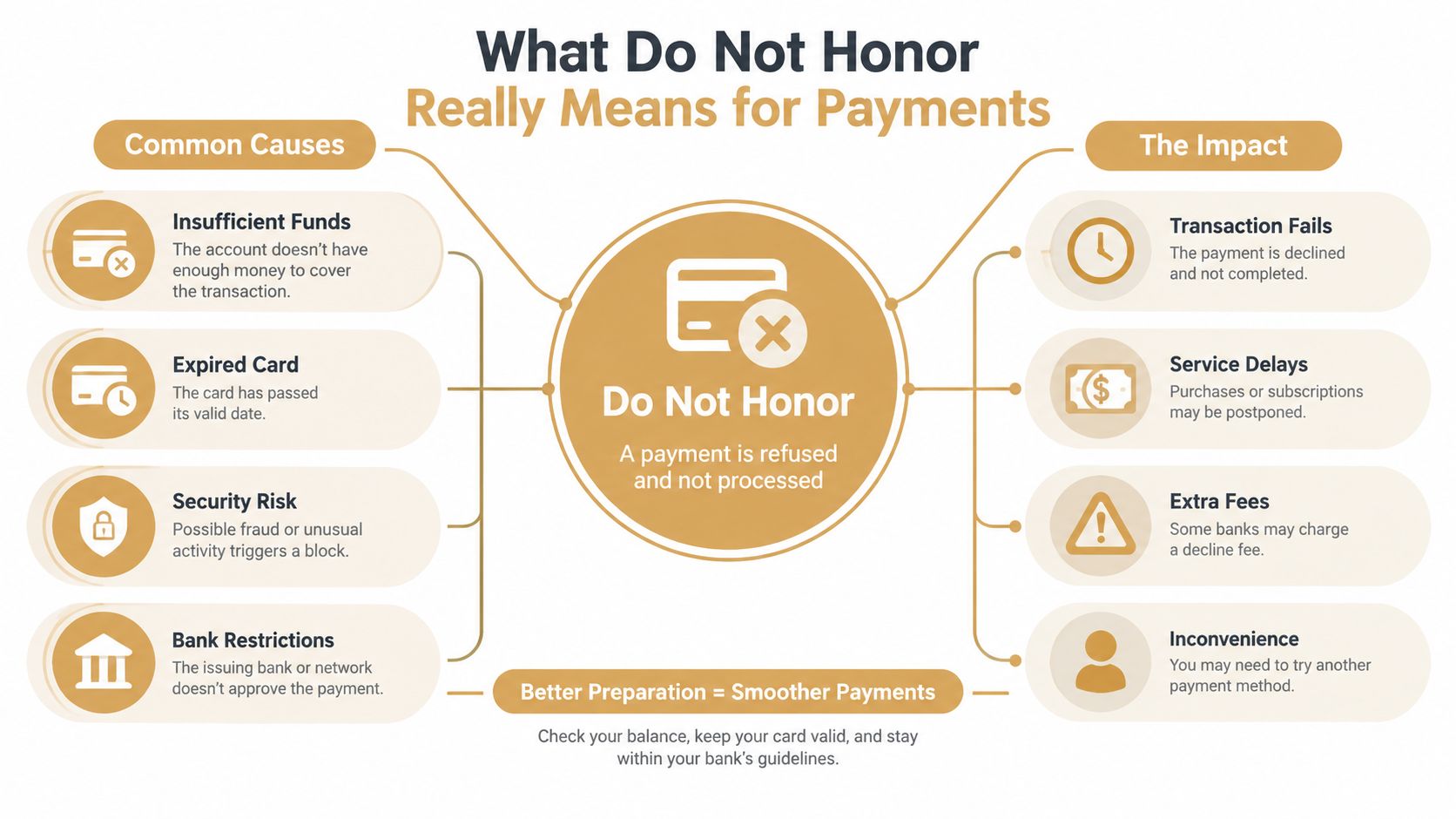
A customer can submit a valid card, receive a Do Not Honor response, and still have no clear explanation for the failure. The message is a catch-all decline commonly mapped to ISO 8583 response code 05. It means the issuing bank rejected the transaction without sharing a specific reason with the merchant, as described in Adyen's explanation of the Do Not Honor decline.
The response works like a hotel bouncer saying, “Not tonight,” without explaining whether the guest lacks identification, broke a venue rule, or triggered a security concern. The refusal is clear. The corrective action is not. Code 05 gives the merchant the issuer's decision while concealing the diagnosis.
That distinction matters. A generic refusal does not confirm insufficient funds, an expired card, or invalid card details. The transaction record, network guidance, customer history, and stored payment information must supply the missing context.
The network changes the meaning
The same decline label does not behave uniformly across card networks. Public industry analysis reports Do Not Honor as about 11% of Visa declines, 92% of American Express declines, 4% of Mastercard declines, and 7% of Discover declines, as shown in Adyen's network comparison. The figures illustrate why a dashboard rule based only on the words “Do Not Honor” can misclassify cases. Network mix changes what the label is likely to represent.
Geography changes the pattern too. The same analysis identifies Do Not Honor as 10% of all U.S. declines, 5% in Australia, and 7% in the UK. A merchant expanding into another market may therefore see a different decline profile even when its checkout, fraud settings, and billing logic stay the same.
Read the phrase as a category
Use the phrase to group issuer refusals, not to select a remedy automatically. A Visa transaction may include advice that supports a timed retry. Another issuer response may point toward revalidating stored payment information or stopping further attempts with the same data.
The practical decision has three paths: retry when network advice supports another attempt, revalidate payment details when the record suggests stale or incomplete information, or stop retrying and request another payment method when the refusal persists or guidance rules out another attempt.
This approach turns a vague refusal into a controlled operations decision. It also gives subscription, support, and payments teams a shared way to review the dashboard, explain the outcome to the customer, and avoid treating every code 05 response as the same event.
Hidden Causes Behind the Generic Decline Code
A Do Not Honor response conceals several possible paths. The issuer may have rejected the payment because its fraud or risk model found the transaction unusual. The cardholder may also be close to a balance or spending limit. From the merchant's viewpoint, both situations can produce the same generic refusal.
One industry source cites roughly 50% of Do Not Honor declines as insufficient-funds events in disguise, while also describing issuer risk scoring and unusual transaction patterns as causes that can be remapped to the same code. That finding is presented in Churnward's analysis of hidden Do Not Honor causes. Treat it as a diagnostic reminder, not as a reason to assume that every declined card lacks funds.
Why identical codes require different responses
Consider two transactions with the same response:
- A first-time purchase from a new device, unusual location, or unfamiliar pattern may have encountered issuer risk controls.
- A recurring charge from a previously successful customer may reflect stale payment information, balance pressure, or a temporary issuer decision.
The response text doesn't distinguish those cases. Your dashboard history does. Look at whether the card has paid successfully before, whether the amount or merchant context changed, and whether similar declines cluster around a particular network or issuer segment.
A high share of generic declines can also obscure the health of your payment operation. If analysts treat the code as a single failure type, they may miss separate issues involving customer balances, issuer fraud scoring, or stored credentials. The right dashboard view should preserve the original network, issuer response, advice code, retry count, payment type, and customer history.
Soft does not mean endlessly retryable
Recent industry guidance describes Do Not Honor as the most common generic decline and notes that some payment experts treat it as a soft decline in practice, because the issuer may approve the same transaction later or after a short delay. Primer's guidance on Do Not Honor handling also emphasizes that issuer refusals aren't identical. Some advice signals support a later retry, while others tell the merchant not to retry the same data.
The practical conclusion is narrow but important: recoverability depends on context and advice. A soft decline may justify a controlled retry window. It doesn't justify repeated immediate attempts, and it doesn't override an explicit instruction to stop.
How to Diagnose Do Not Honor in Your Processor Dashboard
A customer says the card worked yesterday, yet today's checkout shows Do Not Honor. Begin with the authorization record, because the decline label alone cannot explain what changed. In Stripe, PayPal, Shopify Payments, Authorize.net, or a similar processor, open the failed attempt and review the response code, network, payment method type, available issuer context, timestamp, amount, currency, and retry history. Field names differ, but these details usually appear under the payment attempt, authorization, or decline information panel.
Use the record like a medical chart. Compare the failed attempt with the customer's earlier payments and separate a first-use decline from a previously successful card that has now stopped clearing. Check for a recent card update, changed billing information, a different amount or currency, and clusters involving the same network or issuer during the same period.
A useful dashboard preserves more than the generic code. It should keep the original network response, issuer information where available, advice code, retry count, payment type, and customer history together. Otherwise, analysts can mistake separate causes, such as a balance issue, issuer fraud scoring, or a stored-credential problem, for one broad failure category.
Build the decision around advice
Visa Merchant Advice Codes add direction to the refusal. They can indicate try again later, revalidate payment information, or do not try again. Visa guidance also includes timing instructions that may refer to 1 hour, 24 hours, or multiple days. Stripe's overview of Do Not Honor refusals discusses this advice-code gap and its importance for retry logic.
Treat the matrix below as an operating guide, then give your processor's field names and network implementation priority.
| Advice Signal | What It Means | Recommended Merchant Action |
|---|---|---|
| Try again later | The issuer may review the payment after a stated interval | Pause automated retries and schedule the next attempt within the specified window |
| Revalidate payment information | The submitted or stored details need confirmation | Send the customer through a secure update or checkout flow, then use the revised data |
| Do not try again | Repeating the same payment data is not advised | Stop retries, request another payment method, and direct the customer to the issuer |
| Timing of 1 hour | The network supplies a short waiting period | Prevent an immediate duplicate and retry only after the indicated interval |
| Timing of 24 hours | The issuer expects more time before reconsideration | Use a delayed billing workflow or recovery message instead of a same-session retry |
| Timing of multiple days | A later attempt may be appropriate, but immediate recovery is unsupported | Request an alternative method while preserving service access where possible |
Apply stricter controls to recurring billing
Subscription jobs need their own controls. An automated worker can submit the same stored credential repeatedly without anyone reviewing the advice signal. Limit attempts according to that advice, suppress duplicate jobs, and show support agents the next scheduled action.
A dashboard alert should answer three questions quickly: What network returned the refusal? What advice did it provide? What has already been attempted? If those fields are separated, export authorization data or ask the processor to create a decline-monitoring view that places them together.
Proven Remediation Steps That Recover More Payments
A customer reaches checkout, submits a valid-looking card, and sees Do Not Honor. The correct response is not to press the retry button repeatedly. Treat the decline like a traffic signal from the issuer network. First identify whether the signal permits another attempt, requires fresh payment data, or means you should stop.
Begin by checking for duplicate submissions and the network's advice code. Visa advice codes can define the next permitted action, while other networks may expose different fields or timing guidance. A generic code 05 is only the refusal category, not a complete recovery instruction. Your processor's documented network behavior should control the workflow.
Match the action to the signal
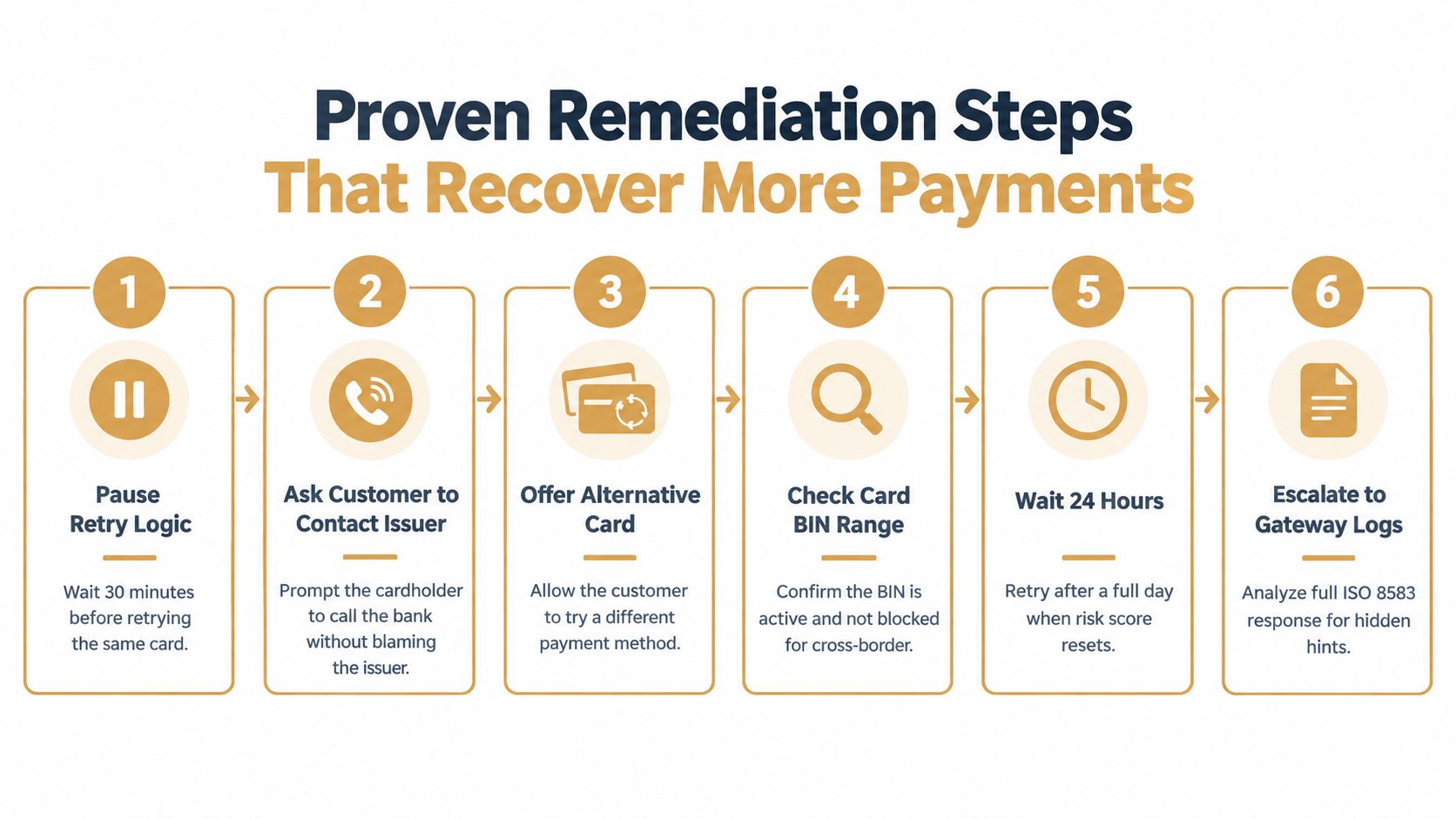
If the advice permits another attempt, schedule it after the stated interval. Do not turn a one-hour wait into an immediate duplicate, or treat a 24-hour instruction as permission to retry in the same session. If the network indicates that a later attempt may be appropriate after multiple days, preserve service access where possible and request another payment method rather than promising instant recovery.
A revalidate payment information instruction calls for a secure update or checkout flow. Use the revised card details as a new payment-method event, not as another submission against unchanged stored credentials. If the response says do not try again, stop the sequence, offer an approved alternative method, and direct the customer to the issuer when appropriate.
For live checkout, give one clear message:
Customer message: “Your bank didn't approve this payment. Please contact the card issuer if the card details are correct, or update your payment method below to complete the payment.”
Avoid telling the customer that the bank flagged them for fraud. The decline does not provide enough information for that conclusion. For recurring billing, separate customer communication from automated processing. Explain what happened, provide a secure update path, and state how billing or access will be handled.
Before scheduling a retry, review the card and transaction context. A BIN review can indicate whether the card belongs to a region or issuer segment that commonly restricts cross-border activity, but it cannot establish the reason for one customer's decline. Gateway logs may add fields that the processor dashboard hides.
Remove blind retries from the system
Store the original decline, advice signal, network, and attempt timestamp. Block parallel billing workers from sending the same charge simultaneously. The dashboard should place three facts together: What network returned the refusal? What advice did it provide? What has already been attempted? If it cannot, export authorization data or ask the processor for a decline-monitoring view.
Subscription teams can align failed-renewal handling with Shopify chargeback protection workflows when service access or support responses become unclear. The purpose is deliberate action, not forcing an authorization. Use the relevant network instruction as the stopping rule.
How Do Not Honor Connects to Chargebacks and Alert Workflows
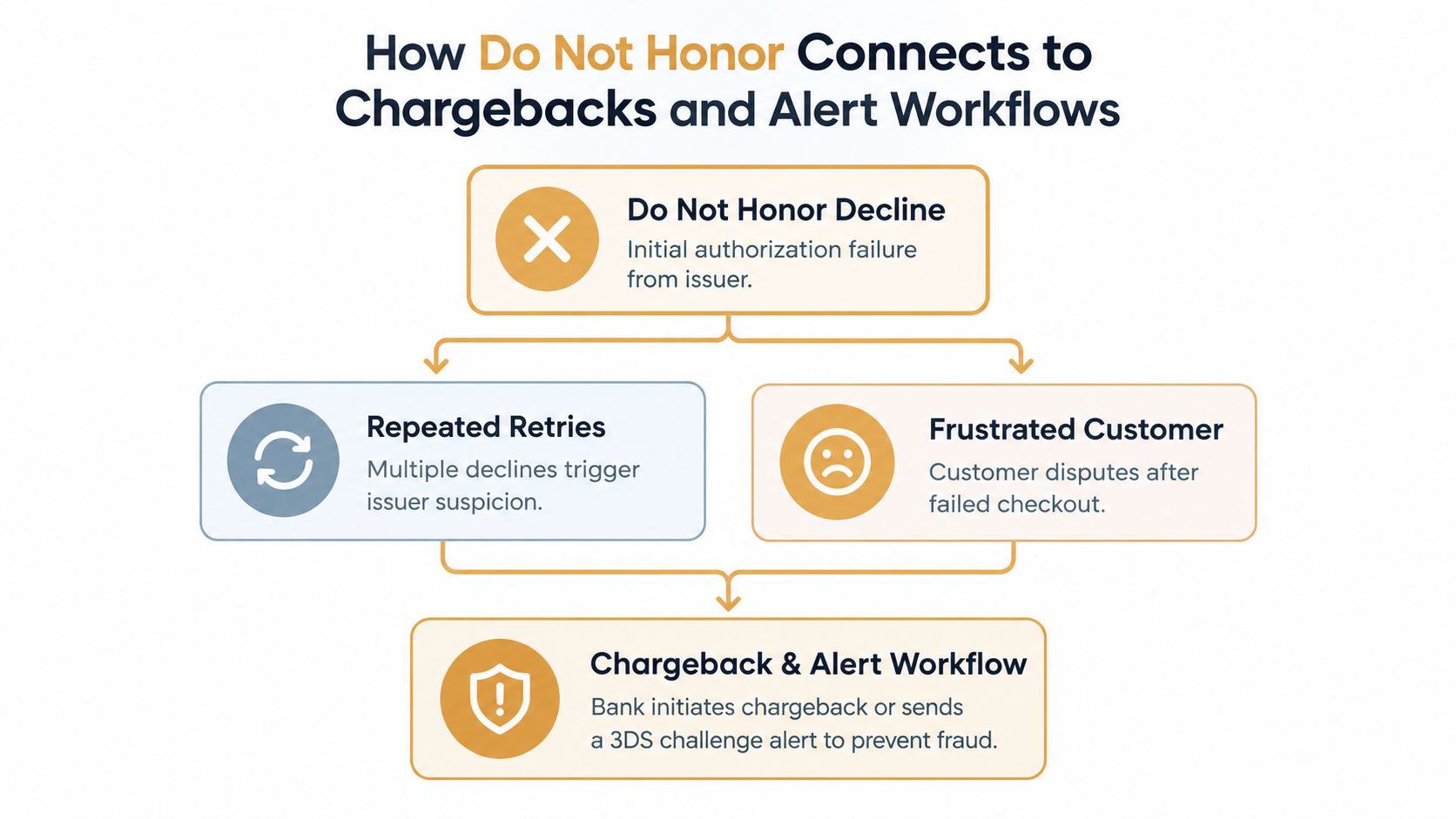
A failed authorization does not create a chargeback on its own. The risk develops in the follow-up: repeated unchanged retries, unclear billing messages, or a subscription left in limbo. The customer may switch payment methods, contact the bank, or later dispute a charge they do not recognize or believe they did not authorize.
Treat the decline like a traffic signal. A network-specific advice code may point to a controlled retry, payment revalidation, or a stop. Repeating the same authorization without checking that signal can add friction without improving recovery, especially after the cardholder has already contacted the issuer.
Treat prevention as a connected workflow
Decline handling sits upstream from chargeback alerts. The authorization workflow decides whether to retry, request updated payment details, or stop. The alert workflow begins after a customer dispute reaches a participating channel, allowing the merchant to review the case and decide whether a refund is appropriate before a filed chargeback.
Disputely connects with Visa Rapid Dispute Resolution, Mastercard CDRN, and Ethoca alerts. It can notify merchants when a dispute enters those channels, apply configured refund rules, and filter transactions using available data. The publisher describes a response window of 24 to 72 hours before a chargeback is filed. These tools do not resolve a Do Not Honor decline, but they can connect dispute handling with subscription and high-volume ecommerce operations.
Keep two queues separate while linking their records:
- Authorization queue: Record the network, advice code, retry count, payment type, and recovery result. Visa advice-code logic may support a controlled retry, while another signal may require revalidation or a permanent stop. The dashboard should make that distinction visible.
- Dispute queue: Record incoming alerts, customer history, refund decisions, and unresolved cases. Link later disputes to the original authorization and customer communication.
Customer clarity connects the queues. A subscriber who receives a clear payment-update path is less likely to interpret an access change as unexplained. A shopper who disputes a later transaction still needs a timely response supported by transaction and communication records.
Teams can compare their controls with chargeback fighting workflows. Keep the responsibilities distinct: network-specific retry logic handles the failed authorization, while alert handling addresses a dispute that has already surfaced. The dashboard should show both stages without treating them as the same event.
Key Takeaways for Handling Do Not Honor With Confidence
A declined renewal appears in the dashboard with one short label, yet the correct response depends on the network and its advice signal. Do Not Honor is an issuer signal, not a complete explanation. It commonly maps to ISO 8583 response code 05, while its practical meaning varies by network, region, transaction type, and customer history.
Use the event record to make three decisions:
- Diagnose the response. Capture the network, detailed advice, payment method, customer history, and previous attempts. The dashboard label should be the starting point, not the whole diagnosis.
- Select the next action. A try-again-later signal supports a controlled retry. A revalidation signal requires updated payment information. A do-not-try-again signal means stop and offer another method.
- Protect the customer relationship. Explain the failed payment without accusing the issuer of fraud detection or blaming the customer. For subscriptions, state the payment-update path and any service consequences clearly.
Run a practical rules check:
- Does the system separate Visa, American Express, Mastercard, and Discover behavior?
- Can an agent see the advice signal beside the decline code?
- Does the retry engine block immediate duplicate attempts?
- Does the workflow distinguish new cards from established recurring credentials?
- Does each customer message provide one clear next step?
- Can the payments team connect failed renewals with later support contacts or disputes?
- Are dispute alerts handled before a filed chargeback?
- Do you know whether your operation is approaching a high chargeback rate?
A sound policy does not retry every authorization. It retries cases the issuer may reconsider, revalidates payment details when required, and stops attempts that should not recur. It also preserves customer confidence when payment fails. Review these rules against dashboard patterns, because network mix and customer behavior shape the meaning of Do Not Honor for your business.
Disputely helps merchants manage incoming chargeback alerts from Visa RDR, Mastercard CDRN, and Ethoca, with configurable refund rules and transaction-level filtering. Merchants can connect a processor, review projected savings, and visit Disputely to add dispute prevention to their payment operations.


