
Stripe Integration Guide: Connect Disputely

You've connected Stripe, accepted a payment, and watched the checkout succeed. Then a dispute alert arrives while your team is busy, the webhook fires again, and an automated refund runs twice because the system treated a retry as a new event. That's the point where a basic Stripe integration stops being enough.
A production payment connection needs a post-payment operating model. Stripe's current API guidance centers modern integrations on PaymentIntents, PaymentMethods, and SetupIntents, while its webhook model expects merchants to handle repeated delivery safely. A reliable Stripe integration guide therefore has to cover credentials, event verification, asynchronous processing, refund rules, sandbox testing, and reconciliation, not just the first successful charge. Stripe's API documentation describes this unified model across payments, billing, subscriptions, payouts, and related financial workflows.
Generating Secure API Keys for Disputely
Chargeback pressure often makes teams move quickly. That's understandable, but speed shouldn't lead to handing a third-party system unrestricted access to your Stripe account. Start with the principle of least privilege, create a restricted key in Stripe's Dashboard, and grant only the permissions required for transaction visibility and the refund actions your workflow needs.
Create the key in Stripe
Open the Stripe Dashboard, switch to the correct account and mode, then go to the developer settings for API keys. Choose the option to create a restricted key, give it a name that identifies its purpose, and review every permission individually before saving it.
For a dispute automation connection, separate the requirements into two groups:
- Read access: Allow access to the payment, customer, PaymentIntent, charge, refund, dispute, and balance information the integration needs to identify a transaction and understand its current state.
- Write access: Enable refund creation only if the automation is intended to issue refunds. Avoid granting write permissions for unrelated products, customer data, subscriptions, payouts, or account configuration unless your documented workflow requires them.
- No account administration: Don't provide permissions that can alter users, API keys, webhooks, business settings, or connected-account configuration. Those controls belong with your internal engineering or finance administrators.
Stripe's payment method documentation reinforces the broader move toward Dashboard-managed configuration, including adding or removing payment methods without writing code. That same discipline applies here. Keep operational access narrow, named, and reviewable.
Store and connect credentials safely
Copy the restricted key once and place it in your secrets manager or protected environment configuration. Don't paste it into frontend JavaScript, commit it to a repository, send it through chat, or store it in a shared document. Your public key can appear in client-side code, but a secret or restricted key must stay server-side.
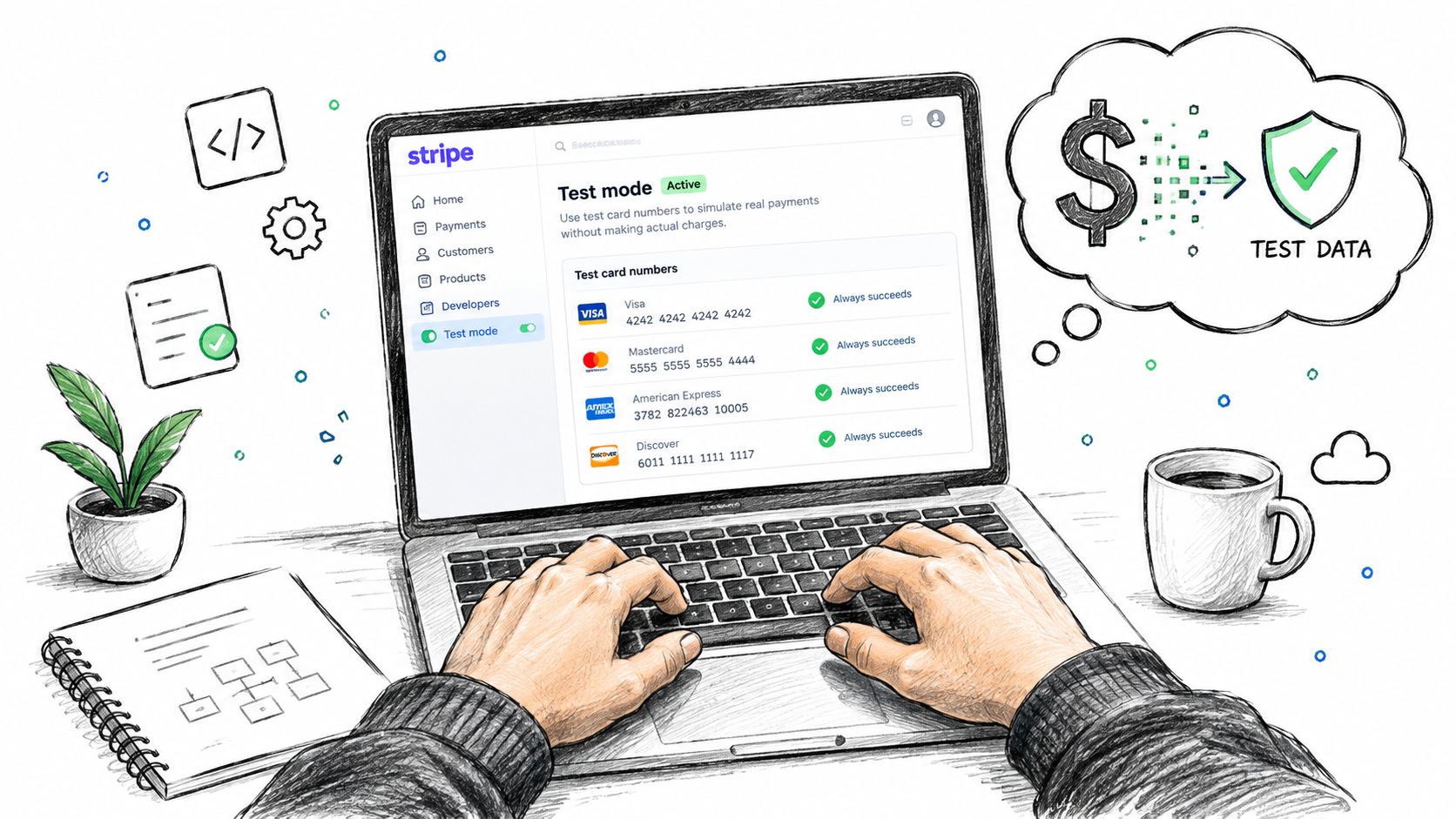
Use Stripe's test mode while connecting the account, then create a separate live-mode credential only after the workflow has passed review. Stripe explicitly supports sandbox testing without affecting live data or banking networks, which makes it practical to validate the connection before any production refund authority is available.
If you're building the underlying Stripe payment flow in a mobile Capacitor application, Capgo's Stripe payment setup guide offers useful implementation context. For the dispute connection itself, use the dedicated Stripe connection page, confirm the account shown in the authorization flow, and document who approved the permissions.
Security rule: A key that can issue refunds should be treated like a financial control, not like an ordinary integration setting.
Configuring Webhooks for Real-Time Dispute Alerts
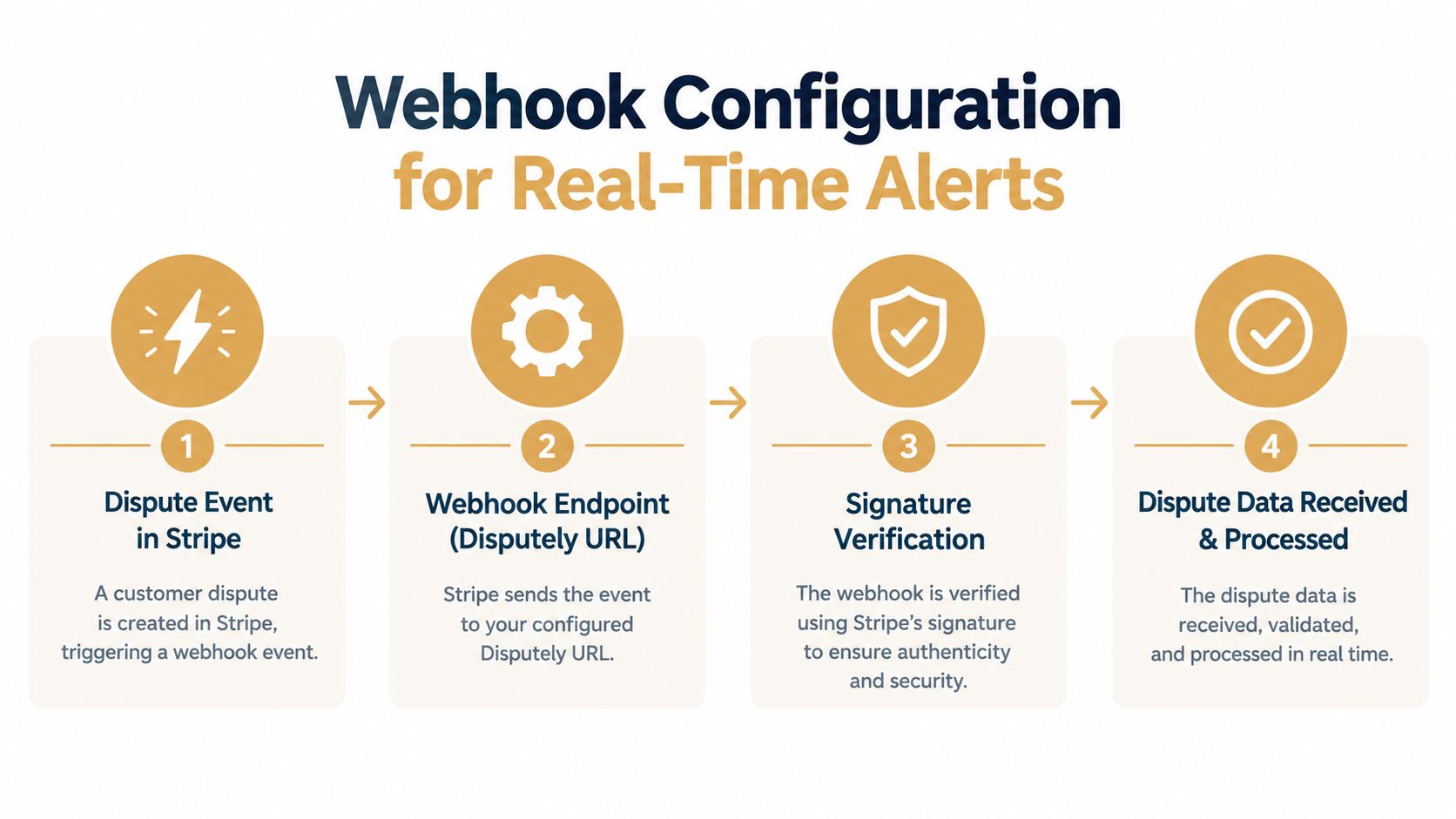
The webhook endpoint is where payment state becomes operational action. A successful API request tells you what happened at that moment. A webhook tells your system that Stripe has emitted a new event, possibly after the original request completed, and your application must decide what to record, queue, ignore, or reconcile.
Create a webhook endpoint in Stripe's developer settings and point it to the server-side URL supplied for the dispute workflow. Select only the event families your process can handle. That typically includes dispute lifecycle events, refund events, charge events, PaymentIntent updates, and any subscription events relevant to recurring billing. Don't subscribe to everything by default. Excess events increase noise and make monitoring less useful.
Stripe's webhook documentation establishes the critical delivery assumptions: deliveries are at least once, signatures must be checked against the raw request body, and duplicate events should be acknowledged successfully after your system recognizes them.
Build the handler around durable state
The request handler should follow this order:
- Read the untouched request body.
- Verify the
Stripe-Signatureheader with the endpoint secret. - Extract the Stripe event ID and event type.
- Persist the event, including its processing status, before triggering side effects.
- Enqueue work for a background worker.
- Return a successful
2xxresponse quickly.
The raw-body requirement matters because JSON parsing and reserialization can change the exact bytes Stripe signed. If middleware consumes or transforms the body before signature verification, valid events can fail authentication.
Persisting first protects you from the most expensive class of error. If the process crashes after issuing a refund but before marking the event complete, the next delivery must find the stored event and avoid repeating the refund. Use event.id as the primary deduplication key, and make every downstream action idempotent as well.
Separate receipt from business processing
A webhook endpoint shouldn't synchronously fetch extensive records, calculate a refund decision, call several external services, and wait for each response. Stripe retry behavior can continue for about 72 hours with exponential backoff, as described in this implementation guide to Stripe webhook retry logic. A slow handler can create overlapping deliveries, out-of-order work, and duplicate side effects.
Use a durable queue and a worker with explicit states such as received, verified, queued, processing, completed, and failed. Record the event type, related object ID, decision outcome, refund ID if one exists, and the last processing error. When an event arrives twice, return success without re-running the business action. When events arrive out of order, retrieve the current Stripe object before making a decision instead of trusting an older payload.
Mapping Alerts and Setting Refund Automation Rules
An alert isn't automatically a refund instruction. The right action depends on the transaction, the customer relationship, the product, and the cost of allowing a dispute to progress. A rule that refunds every alert may reduce operational effort, but it can also surrender revenue on cases where your evidence would have supported a successful response.
Build rules around decision quality, not maximum automation. Start by identifying the alert source and the dispute reason, then evaluate the transaction context available in Stripe and your own order system. Visa RDR, Mastercard CDRN, and Ethoca alerts can represent different workflows, so map each source to an explicit action rather than treating all incoming notifications as interchangeable.
Use a decision hierarchy
A practical ruleset can evaluate conditions in this order:
- Eligibility: Confirm that the alert matches a payment your system can identify and that the payment hasn't already been refunded, canceled, or disputed through another workflow.
- Commercial value: Consider transaction size, margin, shipping cost, and whether a refund preserves more value than responding to the dispute.
- Product risk: Digital goods, recurring services, physical products, and regulated categories may need different evidence and refund policies.
- Customer history: A first-time customer with clear delivery evidence may receive a different treatment from a repeated high-risk pattern, but the rule should remain explainable and auditable.
- Timing and status: Don't refund a PaymentIntent or charge that has already moved into a conflicting state. Retrieve the current Stripe record before executing the action.
- Fallback: Send uncertain cases to review rather than forcing a binary automated decision.
A useful interface should show which rule matched, which facts drove the decision, and what action followed. Store that explanation with the event. It gives finance and support teams a way to audit automation without reverse-engineering application logs.
Stripe supports one-time and subscription payments through Checkout, and its payment-method documentation describes dynamic method ordering and Dashboard-managed payment-method rules. Those configuration choices affect the payment experience, but they don't replace post-payment controls. Treat checkout configuration and dispute automation as separate policy layers.
Disputely can be used as the alert and refund automation layer in this workflow, with rules that connect incoming dispute notifications to transaction handling. Keep a manual review path, test overlapping conditions, and define what happens when the platform can't match an alert to a Stripe charge.
Testing the Integration in a Sandbox Environment
Never validate refund automation with a live payment. Stripe's sandbox environment lets you test without affecting live data or banking networks, so use it to prove the entire event path, not just the credential connection. A green API response isn't enough if the webhook never reaches your queue or a duplicate delivery creates a second side effect.
Run an end-to-end test sequence
Create a test customer and payment flow, then verify the records your worker will use. If your application uses Checkout, test the relevant Checkout Session behavior. If it uses a custom flow, confirm the PaymentIntent, PaymentMethod, charge, and refund relationships are available to your reconciliation logic.
Work through this sequence:
- Connection test: Confirm the integration can authenticate in test mode and read the intended objects.
- Alert test: Send or trigger representative dispute events through Stripe's webhook testing tools.
- Signature test: Confirm valid signatures pass and altered payloads fail.
- Persistence test: Check that the event is stored before the worker starts.
- Duplicate test: Deliver the same event again and verify that the event is acknowledged without repeating the refund decision.
- Failure test: Force a worker error, inspect the retry state, then replay the event safely.
- Reconciliation test: Change the related object state and verify the worker consults Stripe before acting.
Use test clocks where subscription timing matters. Recurring billing introduces lifecycle transitions that can arrive asynchronously, and your system should handle status changes without assuming that a successful initial payment represents the whole customer relationship.
Keep the HTTP endpoint deliberately fast during these tests. A worker can take time to evaluate an alert, but the request handler should only authenticate, persist, enqueue, and acknowledge.
The following video can supplement the Dashboard walkthrough and help your team align on the test-mode workflow:
Before switching to live mode, capture test evidence for every rule, including the expected event ID handling, refund outcome, logging, and manual-review fallback. Require a second reviewer to approve the production key and webhook endpoint configuration.
Troubleshooting Common Connection and Delivery Issues
Most failures fall into two categories. Stripe can't verify the request because your application changed the signed body, or Stripe keeps retrying because your endpoint takes too long to acknowledge the event. Diagnose those paths separately instead of treating every delivery problem as a generic API outage.
Signature verification failures
If valid events fail verification, inspect the request pipeline first. Body-parsing middleware may have converted the raw payload into an object before your Stripe library received it. Capture diagnostic metadata such as the event ID, event type, timestamp, and verification result, but don't log secret keys or unrestricted payment details.
Check these points:
- Raw body preservation: Pass the exact request bytes into signature verification.
- Correct endpoint secret: Confirm the secret belongs to the endpoint and mode sending the event.
- Environment separation: Don't use a test endpoint secret for live events or the reverse.
- Clock and transport handling: Confirm your infrastructure forwards the signature header unchanged.
- Replay safety: Once verification succeeds, persist the event before processing it.
Timeout and retry problems
A handler that performs synchronous refund logic, external lookups, and notification work before returning can create a queue of repeated deliveries. Move those operations into a worker, return 2xx after durable enqueueing, and expose queue metrics for depth, age, failure count, and processing latency.
When an event appears missing, query Stripe for the related object and compare its current state with your local event ledger. Stripe should remain the source of truth for payment and dispute status, while your database tracks processing intent and outcomes. Reconciliation is especially important after deployments, queue outages, or partial database failures.
For account, credential, or product questions that aren't resolved through logs, use the Disputely support team. Operational documentation should also cover non-technical merchant requirements, such as the difference between a mailing address and a physical business address. A resource on whether a PO box can serve as a physical address can help teams avoid mixing compliance and integration concerns.
Scaling Your Dispute Prevention Strategy
A stable integration doesn't mean the work is finished. Payment methods, subscription behavior, dispute reasons, product margins, and customer policies change over time. Treat the connection as an operating system with regular reviews, not a one-time deployment.
Track the outcome of each alert and compare it with the rule that fired. Review false positives, manual overrides, refunds issued, unresolved events, and disputes that reached the account despite an alert. The purpose isn't to automate every decision. It's to make each automated decision visible and increasingly defensible.
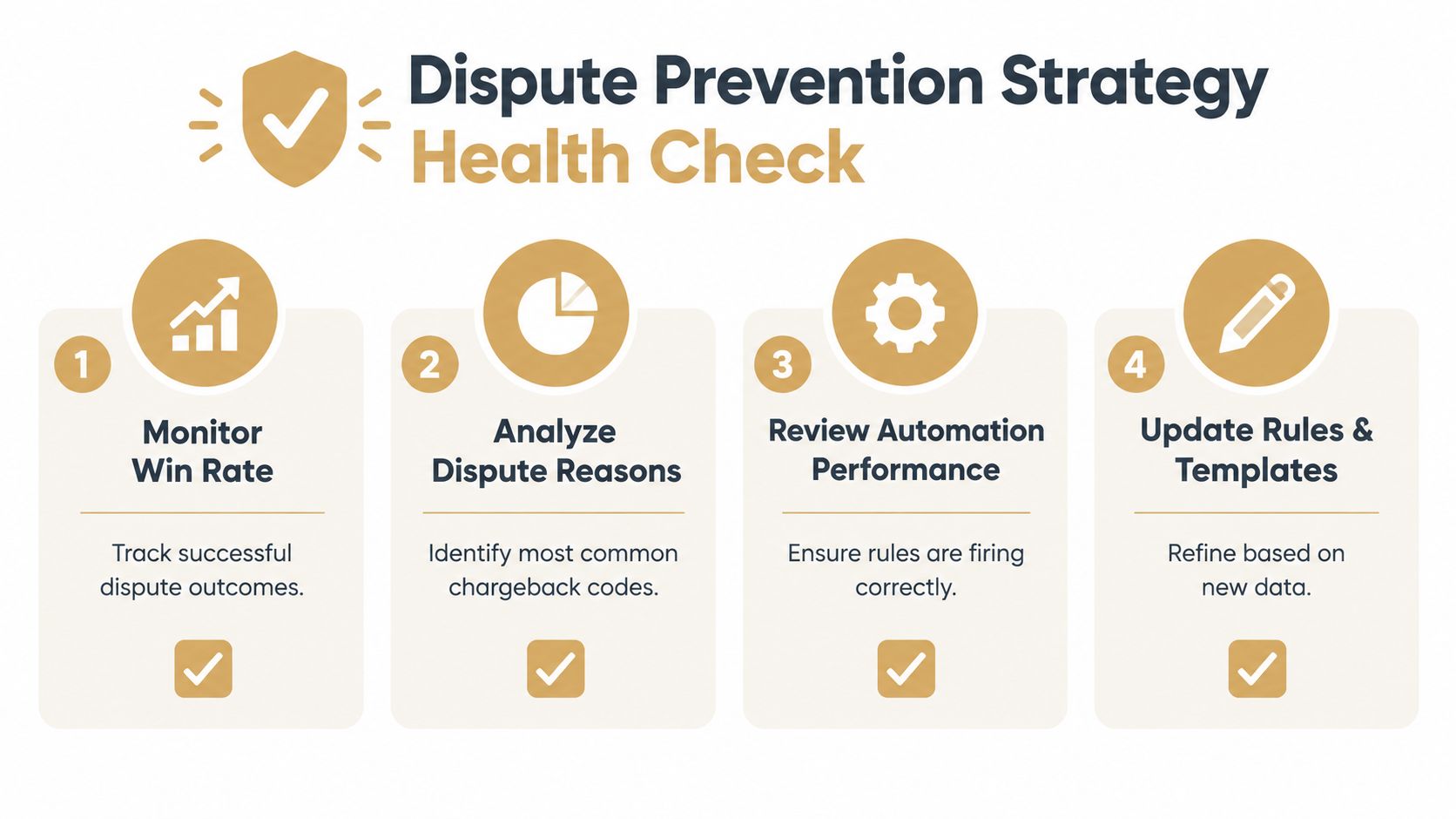
Use a recurring health check:
- Monitor win rate: Track successful dispute outcomes and review whether automation is removing cases your team could have defended.
- Analyze dispute reasons: Group alerts by reason and product so you can address avoidable confusion in billing, fulfillment, or cancellation flows.
- Review automation performance: Confirm rules still match the intended events, workers remain healthy, and duplicate events produce no duplicate action.
- Update rules and templates: Refine customer communications, evidence collection, and refund thresholds as your commercial policies evolve.
Stripe's documentation separates payment completion from fulfillment and provides webhook support for disputes, which is why a webhook-first operating model matters after launch. For a broader operational workflow, use Disputely's chargeback-fighting resources alongside your Stripe event ledger, support procedures, and finance review.
The strongest teams don't measure success by how quickly they connected an API. They measure whether every alert is authenticated, recorded, processed once, reconciled against Stripe, and routed according to a policy the business can explain.
Disputely connects with Stripe to receive dispute alerts, apply configured refund rules, and support real-time chargeback prevention workflows. Visit Disputely to connect your processor, define your review and refund policies, and move from reactive dispute handling to controlled post-payment operations.


