
A Seller's Guide to avoid chargebacks paypal on PayPal
To truly get ahead of PayPal chargebacks, you have to stop playing defense and start playing offense. It’s all about building a proactive system—one that starts with optimizing your account’s fraud filters, nailing down crystal-clear customer communication, and using smart automation to head off disputes before they ever escalate into full-blown chargebacks.
The Real Cost of PayPal Chargebacks to Your Business
Let's be clear: PayPal chargebacks aren't just an annoying part of selling online. They're a direct hit to your revenue, your operational sanity, and even your ability to accept payments long-term. For any serious seller, writing them off as a "cost of doing business" is a fast track to serious problems.
Each time a chargeback hits, you're not just losing the sale. You're also slapped with a non-refundable fee, your account health takes a ding, and you sink precious hours into fighting it—time you could have spent actually growing your brand.
And this problem is only getting bigger. We're on track to see global chargeback volumes jump from 238 million in 2023 to a staggering 337 million by 2026. That’s a 41% spike, and it’s a pain that high-volume sellers feel most acutely.
Why Your Chargeback Ratio Is Everything
PayPal is watching one number above all others: your chargeback-to-transaction ratio. This is the key metric they use to decide how risky your business is. Once that ratio starts to climb above the 1% industry threshold, you’re in the danger zone.
When that happens, expect to see some painful consequences:
- Sudden Account Reviews: PayPal can freeze your operations while they poke around your account.
- Locked Funds: Your ability to withdraw your own money can be restricted, sometimes without warning.
- Rolling Reserves: PayPal might start holding a percentage of your revenue to cover potential future disputes, which can crush your cash flow.
Think of it this way: a high chargeback ratio is a massive red flag for PayPal. It tells them your business model might be unstable or that your customers aren't happy, leading to restrictions that can seriously stunt your growth.
A Proactive Defense Isn't Optional
This guide is your playbook for building that proactive defense. We're going to skip the generic advice and get straight to actionable strategies that actually work. You'll learn how to tweak hidden settings in your PayPal account, master customer service that prevents misunderstandings, and set up smart systems to stop disputes from ever making it to your record.
As we head into peak sales seasons, now is the perfect time for a deep dive. Consider a comprehensive Q4 chargeback audit to find and plug the leaks in your process. By the time you're done here, you'll have the tools you need to build a truly resilient defense.
Fortifying Your PayPal Account to Prevent Disputes
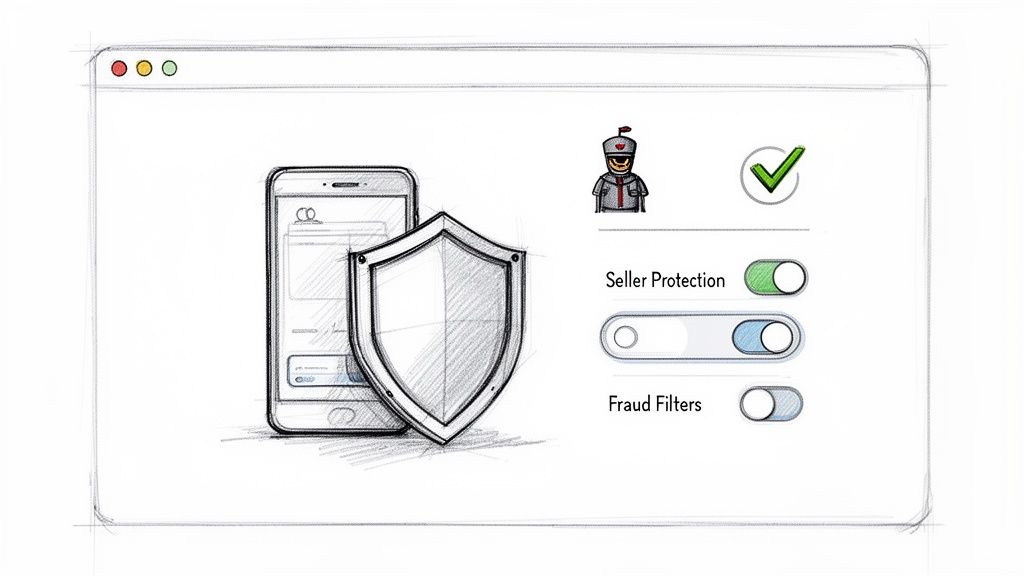
Think of your PayPal account as the first line of defense in the battle against chargebacks. So many sellers just use the default settings, completely missing out on the powerful, built-in tools that can filter out fraud and stop common disputes before they even start.
If you're serious about protecting your revenue, moving beyond the basics is non-negotiable. It’s not just about checking a few boxes; it's about building a proactive security posture. By strategically using fraud filters and customizing how you receive payments, you create a system that automatically flags or blocks risky orders.
Activate and Understand Seller Protection
PayPal Seller Protection is your safety net, but it's not automatic. You have to play by its rules to be covered. Think of it as an insurance policy that protects you against two of the most common chargeback reasons: "Unauthorized Transaction" and "Item Not Received."
To make sure you qualify, you absolutely must follow these requirements:
- Ship to the "Right" Address: Only ship physical items to the address listed on PayPal's "Transaction Details" page. If a customer emails you with a different address after they've paid, the only safe move is to refund the original order and ask them to buy again with the correct address. No exceptions.
- Have Proof of Delivery: This is the big one. You need a valid tracking number that clearly shows the item was delivered. For anything expensive (usually over $750), you'll need signature confirmation as well.
- Respond Quickly: When PayPal asks for information, they're on a clock. If you miss their deadline to respond, you'll almost always lose the case by default.
A huge mistake I see people make is thinking Seller Protection is a catch-all. It isn't. It will not cover you for "Significantly Not as Described" (SNAD) claims, which is where a ton of friendly fraud happens. That’s why these other layers of security are so essential.
Customize Your Fraud and Payment Filters
This is where you really get to take the wheel. PayPal’s fraud management filters let you create custom rules that automatically review, flag, or even deny transactions based on their risk level. Getting these settings dialed in can make a night-and-day difference.
For example, I once worked with a client selling digital courses who noticed a huge spike in fraud coming from one specific country. By tweaking their filters, they were able to block payments from that region entirely, stopping the problem cold. These settings can also be a lifesaver if you're dealing with processor-level issues, like a frustrating Shopify payments hold, by weeding out the very transactions that trigger those freezes.
Head into your account settings and consider turning on these powerful filters:
- Address Verification System (AVS): This system checks if the billing address the customer entered matches what their credit card company has on file. Requiring at least a partial AVS match is a simple and incredibly effective way to screen out fraudsters.
- Card Verification Value (CVV): Always require the 3- or 4-digit security code from the back of the card. If it doesn't match, that’s a massive red flag. Fraudsters with stolen card numbers often don't have the physical card itself.
- Maximum Transaction Amount: Set a reasonable cap on order values. If your average sale is $150 and you rarely sell anything over $1,000, a filter that blocks a sudden $5,000 order can stop a major fraudulent loss in its tracks.
Of course, PayPal's tools are just one piece of the puzzle. Following essential website security best practices on your own site is just as critical for stopping fraud at the source.
Tailor Settings for Your Business Model
There’s no "one-size-fits-all" configuration here. The settings that matter most depend entirely on what you sell.
If you run a subscription service, for instance, your top priority is clear recurring billing terms and sending out pre-billing reminder emails. This simple step can virtually eliminate all those "I forgot I subscribed" chargebacks.
But if you’re selling high-end electronics, you'll want to focus on requiring signature confirmation for every shipment and enforcing a strict AVS match policy. By aligning your PayPal settings with how your business actually operates, you shore up your weakest points and turn your account from a simple payment tool into a strategic weapon against chargebacks.
Nail Your Communication and Order Management
You'd be surprised how many costly PayPal chargebacks don't come from scammers but from simple, fixable misunderstandings. When a customer feels like they're shouting into the void—confused, ignored, or just plain left in the dark—their next click is often the "dispute" button. Getting your communication and order management right isn't just a "nice-to-have"; it's the most powerful habit you can build to stop these issues before they even start.
This goes way beyond just having a support email. We're talking about a system that covers the entire customer experience, from the moment they land on your product page to the day their order shows up at their door. By setting clear expectations and being transparent, you can turn a potentially bad situation into a reason for a customer to trust you even more.
Get Brutally Honest with Your Policies and Descriptions
Clarity is your best friend. Any ambiguity on your site is a breeding ground for "Significantly Not as Described" (SNAD) claims. Your mission is to eliminate every single surprise for your customer.
It's time for a little self-audit. Pull up your storefront and look at it through your customer's eyes:
- Product Descriptions: Are you going beyond the basic specs? You need high-res photos and videos from every angle. Be specific about materials, dimensions, and compatibility. If you're selling software or a digital download, spell out exactly what they get and what programs they'll need to use it.
- Shipping Policies: "5-7 business days" is too vague. Break it down. State your processing time (how long it takes your team to pack the box) plus the estimated shipping time. Tell them which carriers you use. And please, offer tracking on everything.
- Return Instructions: Your return policy should be painfully easy to find and even easier to read. Use plain English to explain the process, who foots the bill for return shipping, and how long it takes to get a refund. A confusing or difficult return process is practically an invitation for a chargeback.
When the unexpected happens—like a shipment exception—getting a proactive message out to the customer can completely defuse the situation. It shows you're on top of it and you're on their side. A little bit of knowledge about understanding shipment exceptions can really empower your team to handle these curveballs like pros.
Put Your Order Updates on Autopilot
The moment a customer clicks "buy," an invisible timer starts in their head. Radio silence from your end just fuels their anxiety. You can put them at ease and build serious trust by keeping them in the loop automatically.
Every online store should have this basic email flow triggered for every order:
- Immediate Order Confirmation: This email needs to hit their inbox the second their payment goes through. It should confirm all the order details, the total cost, and the shipping address. This is their first and best chance to catch a typo.
- Shipment Notification: As soon as you print that shipping label, an email should go out with the tracking number. Don't just paste the number in—link directly to the carrier's tracking page so they can follow their package's journey with one click.
- Delivery Confirmation: A final "Your order has been delivered!" email closes the loop perfectly. It's a small touch that shows you see the process through to the very end.
This automated paper trail does more than just make customers happy. It becomes your go-to evidence if you ever have to fight an "Item Not Received" claim.
Build a Support System That's Fast and Human
Even if you do everything right, things will go wrong. Packages get delayed. Items arrive damaged. A customer might just need help using what they bought. How you handle these moments is what separates a five-star review from a chargeback notification.
Let's be clear: chargebacks are a massive threat. The global eCommerce world is on track to lose a staggering $33.79 billion to them in 2025. For merchants in the U.S., the average chargeback is a painful $110. The situation is even more challenging on PayPal, where 72% of shoppers admit they’d file a chargeback instead of asking for a refund just because it seems easier. You can dig into the data and see how these numbers are changing the game by checking out the latest chargeback statistics and trends from Chargeflow.
To fight back, your customer service has to be quick, empathetic, and laser-focused on a solution. Plaster your contact info everywhere on your site. When a customer reaches out, your goal should be to respond in hours, not days. Acknowledge their problem, apologize for the hassle, and immediately tell them how you're going to fix it—whether that's a replacement, a partial credit, or a full refund once they return the item.
If you make it easier for a customer to get help from you than it is for them to call their bank, you won't just avoid PayPal chargebacks—you'll keep a customer for life.
How to Effectively Respond to PayPal Disputes
No matter how careful you are, some disputes are just part of doing business. The moment a customer opens a case in the PayPal Resolution Center, the clock is on. How you act in the next few days will determine whether you recover that revenue or eat the loss.
It's easy to get frustrated, but a cool head and a methodical, evidence-based response will win the day. Winning a PayPal dispute isn't about arguing your case; it's about presenting undeniable proof that systematically dismantles the buyer's claim. You want to make it incredibly easy for the PayPal reviewer to see things your way.
Decoding Common Dispute Types
Most PayPal disputes boil down to two types, and each demands a different kind of evidence. A one-size-fits-all response is a fast track to losing.
- Item Not Received (INR): This is when the buyer claims their order never showed up. It’s often the easiest dispute to win, but only if you have your documentation lined up.
- Significantly Not as Described (SNAD): Here, the buyer claims the item is wrong—maybe it's damaged, a different color, or they suspect it's a fake. These are tougher because they can get subjective.
Knowing which category a dispute falls into tells you exactly what evidence you need to start gathering.
The golden rule for any dispute is to respond quickly. PayPal typically gives you about 10 days to submit your evidence. If you miss that deadline, you lose automatically. It doesn't matter how solid your proof is.
Building an Evidence-Backed Response
Once you’ve identified the dispute type, it’s time to build your case. Think of yourself as a detective presenting a file of irrefutable proof to a judge. You want to leave no room for doubt.
For an "Item Not Received" dispute, your checklist is straightforward:
- Proof of Delivery: This is your knockout punch. You need a valid tracking number from a major carrier showing the item was delivered to the exact address on the PayPal transaction page.
- Signature Confirmation: For any order over $750, signature confirmation isn't just a good idea—it's essential. Without it, you'll almost certainly lose a high-value claim.
- Shipping Address Match: Grab a screenshot of the order details, making sure it clearly shows the shipping address matches what PayPal has on file.
For a "Significantly Not as Described" claim, your evidence needs to be more robust:
- Product Page Evidence: Pull screenshots from your original product listing. Highlight the detailed description, specs, and any photos that accurately show what the customer should have expected.
- Customer Communication: Did you exchange emails or messages with the customer? If they mentioned receiving the item without raising any initial concerns, include that conversation.
- Photos of the Shipped Item: If you take pre-shipment photos, especially for expensive or custom goods, they can be incredibly powerful in countering claims of damage upon arrival.
This decision tree shows how your first line of defense—proactive communication—can stop a customer issue from ever becoming a formal dispute.
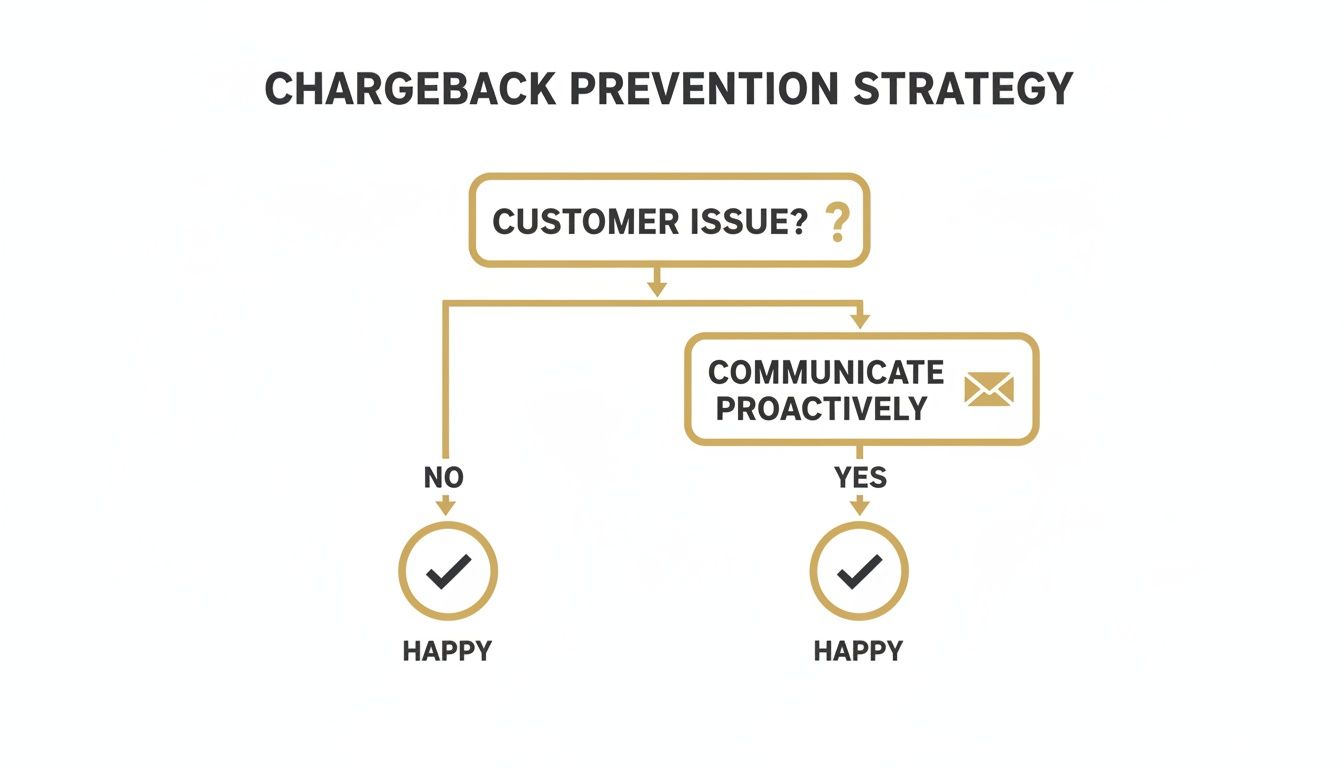
As the flowchart shows, simply engaging with customers when a problem first appears is the single best way to keep them happy and avoid disputes altogether.
Structuring Your Response in the Resolution Center
How you present your evidence is just as important as the evidence itself. Don't just dump a bunch of files and hope for the best. Write a brief, professional summary that walks the PayPal reviewer through your proof, point by point.
Start with a clear, factual statement. Something like, "Responding to 'Item Not Received' claim. The order was delivered on [Date] to the buyer's verified PayPal address via [Carrier], tracking number [Tracking Number]."
Then, attach your evidence and give each file a clear label (e.g., "Proof_of_Delivery.png," "Order_Details_Screenshot.png"). This organized approach makes the reviewer's job easier and frames you as a professional, trustworthy seller.
For businesses that see a lot of disputes, getting good at chargeback representment can make a huge difference to your bottom line, especially during peak seasons. Stay professional, stick to the facts, and let your evidence speak for itself.
Using Chargeback Alerts to Automate Your Defense
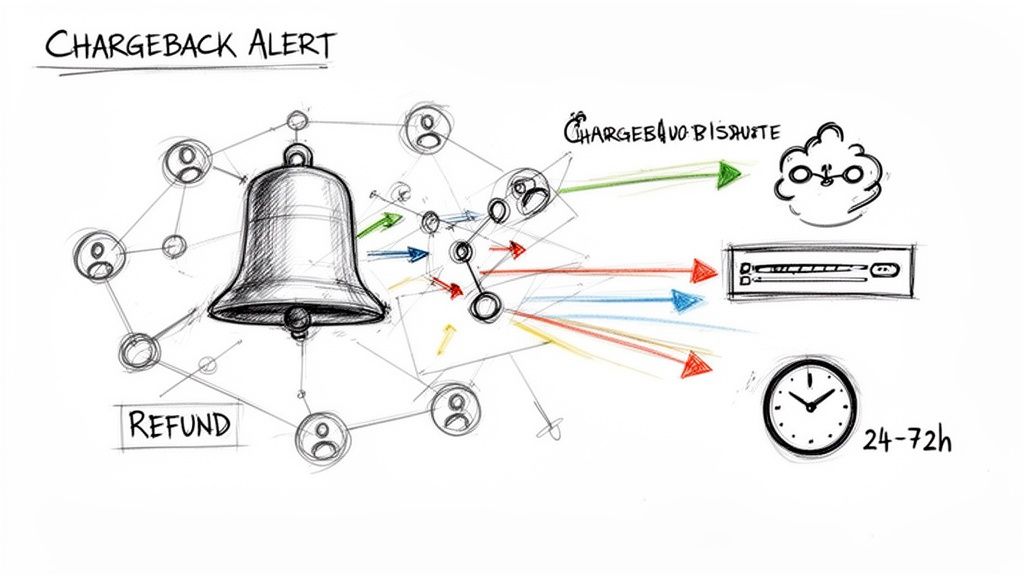
While learning to fight disputes is a necessary skill, it’s a purely reactive game. You’re always on the back foot, scrambling to respond after the damage—a ding on your dispute ratio and a frozen chunk of your revenue—is already done.
For any serious business, the real goal is to get ahead of the problem entirely. This is where automated chargeback alert systems become a complete game-changer. Imagine getting a heads-up the moment a customer contacts their bank, before it officially becomes a chargeback on your record. That’s exactly what these platforms do, giving you a precious window of opportunity to sidestep the entire dispute process.
How Chargeback Alert Technology Works
This isn't some predictive magic; it’s about direct data connections. Chargeback alert services like Disputely integrate directly with the card networks—think Visa's Rapid Dispute Resolution (RDR) and Mastercard’s Consumer Dispute Resolution Network (CDRN). These networks are the source of truth for every dispute initiated.
The process is surprisingly straightforward:
- A customer contacts their bank to dispute a PayPal transaction.
- The bank kicks off the dispute process through Visa or Mastercard.
- The alert service, plugged into that network, gets an instant notification about the pending dispute.
- Your account is immediately notified, giving you a critical 24 to 72-hour window to act.
Within this tight timeframe, you have the power to issue a simple refund to the customer. Once that refund is processed, the alert is resolved, and the chargeback is completely deflected. It never gets filed, you never pay the associated fee, and most importantly, it never harms your precious dispute ratio.
This shift from reactive defense to proactive prevention is the single most effective way to protect your account health. Instead of spending hours compiling evidence for a fight you might lose, you spend seconds resolving the issue before it escalates.
With PayPal's enormous footprint—projected to process a staggering $760 billion in mobile transactions in 2025—the stakes are incredibly high for merchants. The average industry chargeback ratio hovers between 0.60% and 1%, but friendly fraud, which makes up about 75% of all disputes, can easily push you over that critical threshold.
Once you exceed a 1% ratio with PayPal, your account is at risk of restrictions or worse. For businesses in high-risk sectors like SaaS or supplements, platforms with direct alert integrations can reduce chargebacks by as much as 99%. You can get more insights on how PayPal's scale impacts merchant risk at Chargeflow.io.
The Proactive Advantage Over Manual Responses
The difference between manually fighting disputes and using an automated alert system is like night and day. It’s the difference between mopping up a flood and fixing the leaky pipe before it ever bursts.
Looking at the two approaches side-by-side makes the choice pretty clear. One is about damage control; the other is about prevention.
Traditional Dispute Response vs. Automated Chargeback Alerts
| Feature | Traditional Dispute Management | Automated Alert Platform (e.g., Disputely) |
|---|---|---|
| Timing | Reactive: You're notified after the chargeback is filed and the fee is charged. | Proactive: You're notified before the chargeback is officially filed. |
| Impact on Ratio | Negative: Every chargeback filed counts against your dispute ratio, risking your account. | Neutral: Resolving an alert prevents the chargeback, so there's no impact on your ratio. |
| Financial Cost | High: You lose the sale, the product, and a non-refundable chargeback fee. | Controlled: You only lose the sale amount via a refund, avoiding the extra fee entirely. |
| Time Investment | Significant: Requires manual effort to gather evidence and build a case for every dispute. | Minimal: Set your refund rules once, and the system can handle alerts automatically 24/7. |
For any business with recurring billing or high transaction volumes, this kind of automation isn't just a nice-to-have; it's essential. It’s simply not scalable to manually handle a rising tide of disputes, especially when so many stem from simple misunderstandings or subscription forgetfulness.
An automated platform acts as a 24/7 guard for your merchant account. It doesn’t just help you avoid chargebacks with PayPal; it fundamentally protects your ability to process payments by keeping your account in good standing with both PayPal and the card networks. This proactive shield is what ensures your revenue streams remain stable and secure as your business grows.
Common Questions About PayPal Chargebacks
Diving into PayPal disputes can feel like learning a whole new language. Even when you have a solid game plan, certain situations will pop up and leave you scrambling. I've put together this quick-reference guide to tackle the most common (and sometimes confusing) questions I hear from merchants.
We'll clear up some key terms, look at how PayPal's protection policies really work, and give you straight answers for handling those tricky scenarios. Think of this as the final piece of your playbook, reinforcing the strategies you need to manage and avoid chargebacks paypal issues for good.
What Is the Difference Between a PayPal Dispute and a Bank Chargeback?
This is probably the most important distinction you need to get straight. A PayPal Dispute is an internal conversation. It all happens right inside PayPal's ecosystem when a buyer opens a case in their Resolution Center. This is your chance to talk directly with the customer and hopefully sort things out.
If you two can't come to an agreement, the buyer can escalate it to a PayPal Claim. That's when PayPal steps in to play referee, looks at the evidence from both sides, and makes the final call.
A bank chargeback, on the other hand, is a much bigger deal. This happens when a customer ignores PayPal entirely and goes straight to their credit card company or bank to get their money back. These are governed by the strict rules of the card networks (Visa, Mastercard, etc.), always come with higher fees, and do a lot more damage to your chargeback ratio. Preventing these is the name of the game.
A PayPal Dispute is a chance to fix things. A bank chargeback is a direct hit to your account's health and your bottom line. Your goal should always be to resolve issues at the dispute level, long before a bank gets involved.
How Much Does PayPal Seller Protection Actually Help?
PayPal's Seller Protection is a great safety net, but don't think of it as a magic shield that covers everything. To even be eligible, you have to follow their rules to the letter. This means shipping only to the address on the transaction details page, having solid proof of delivery, and responding quickly to any of PayPal's requests.
The program is built to cover just two specific types of claims:
- Unauthorized Transaction: The buyer claims they never authorized the payment in the first place.
- Item Not Received (INR): The buyer says the product never showed up.
Here's the catch: Seller Protection offers zero coverage against "Significantly Not as Described" (SNAD) claims. This is a massive loophole that gets exploited all the time with friendly fraud, where a customer gets the item but claims it wasn't what they expected just to get their money back. You have to treat Seller Protection as one important layer of your defense, not the whole fortress.
Can I Get a Chargeback After I Have Already Issued a Refund?
Yes, you can. It's an incredibly frustrating situation, and it usually boils down to bad timing. A customer might start a chargeback with their bank at the very same moment you're processing their refund through your own system.
Because there's a delay in communication between your store, PayPal, and the bank, both actions can move forward at once. You end up giving the money back, and then the bank yanks it a second time with the chargeback.
The best way to stop this is to handle all refunds through the PayPal Resolution Center as soon as a dispute is opened. This officially closes the case and stops it from going any further. An even better approach is to use a chargeback alert service, which can warn you about a potential dispute before it becomes an official chargeback, giving you time to refund the customer and avoid the hit altogether.
What Chargeback Ratio Is Considered Too High by PayPal?
PayPal doesn't plaster a single, definitive number on their website, but the industry standard is crystal clear. Once your chargeback ratio starts creeping over 1% of your total transactions, your merchant account is officially in the danger zone.
Crossing that line is a huge red flag for PayPal. It can set off a chain reaction of bad news, like account reviews, frozen funds, rolling reserves, or even getting your account shut down completely.
And remember, it's not just PayPal. The card networks themselves, like Visa and Mastercard, have their own monitoring programs. They start hitting payment processors with heavy fines when a merchant's ratio gets close to 0.9%. For any serious business, the real goal is to keep that ratio well below 0.5%. That's how you make sure your account stays healthy, active, and in good standing.
Protecting your business from disputes requires a proactive, automated defense. Disputely integrates directly with card networks to alert you to potential chargebacks, giving you the power to refund and resolve issues before they ever damage your PayPal account health. See how much you could be saving with our automated platform.


