
Avoid Fees: prevent chargebacks paypal and Protect Revenue
Dealing with PayPal chargebacks means playing defense. The best way to win is to prevent them from happening in the first place. This isn't about one magic bullet; it's a mix of clear communication, solid record-keeping, and really getting to know PayPal's seller policies inside and out. Things like verifying shipping addresses, using billing descriptors that people actually recognize, and making full use of PayPal's Seller Protection program are your best first lines of defense.
The Real Cost of a PayPal Chargeback
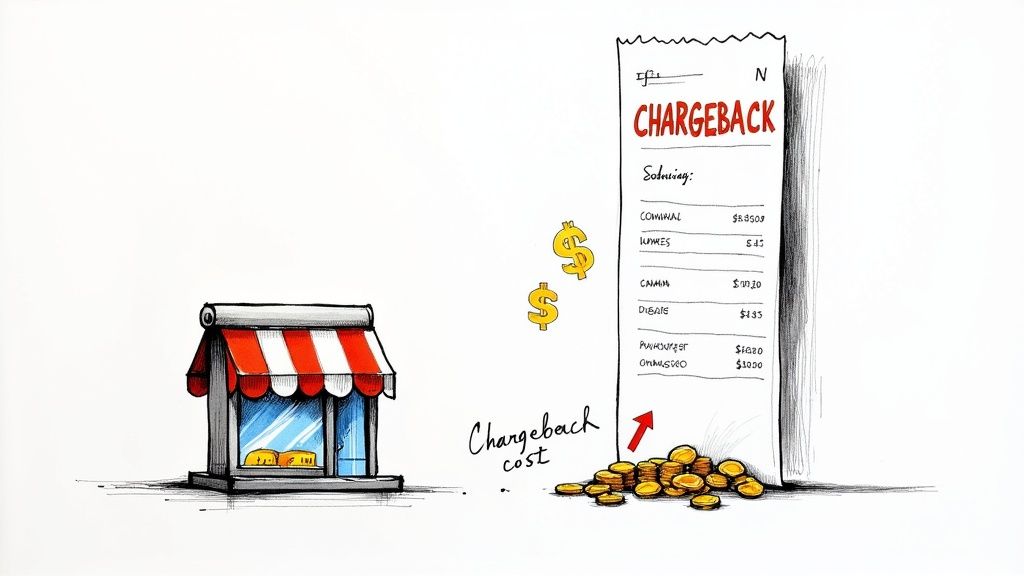
When a customer initiates a chargeback, losing the sale is just the tip of the iceberg. The true financial damage runs much deeper, sending ripples through your business that can affect everything from your cash flow to your reputation. To really get serious about preventing PayPal chargebacks, you have to understand all the costs involved.
It's never just one transaction. Each dispute carries non-refundable fees, eats up your team's time, and can even put your entire payment processing relationship at risk.
Beyond the Lost Sale
The first hit is obvious: the revenue from the sale vanishes. You've already shipped the product, paid for the postage, and now the money you counted on is gone. But it gets worse.
PayPal slaps you with a dispute fee for every single chargeback, and here's the kicker—you pay it even if you win the case. Think of it as a penalty for just being part of the process.
Let's look at the hard numbers. PayPal’s standard dispute fee is a flat $20 for U.S. dollar transactions. With the average chargeback amount hovering around $169.13 in 2024, these costs compound quickly. For a business doing $10 million in sales with a seemingly low 0.6% chargeback rate, that’s roughly $12,000 in fees alone, not to mention over $100,000 in disputed sales. You can dig into more payment platform statistics to see the bigger picture.
A single chargeback often ends up costing a merchant 2.5 times the original transaction value. Once you add up the fees, operational costs, and lost inventory, what could have been a simple refund turns into a major financial headache.
The Hidden Operational Drain
Money isn't the only thing you lose. Every chargeback steals your team's most valuable resource: time. Fighting a dispute is a hands-on, time-consuming task.
It’s a whole process that involves:
- Digging for Evidence: Someone has to drop what they’re doing to hunt down order confirmations, sift through customer emails, and find tracking numbers.
- Building a Case: Putting together a solid, evidence-backed response that meets PayPal’s specific rules takes focus and a keen eye for detail.
- Waiting and Watching: After you submit your case, you have to keep an eye on it in the Resolution Center, a process that can drag on for weeks or even months.
This operational grind pulls your people away from what they should be doing—growing the business. Instead of focusing on marketing, helping happy customers, or improving products, they're stuck in administrative quicksand. When you're dealing with dozens of these, it becomes a serious drag on your company's momentum. A smart plan to prevent chargebacks on PayPal isn't just about saving money; it's about getting your team's time back.
Building a Bulletproof Transaction Process
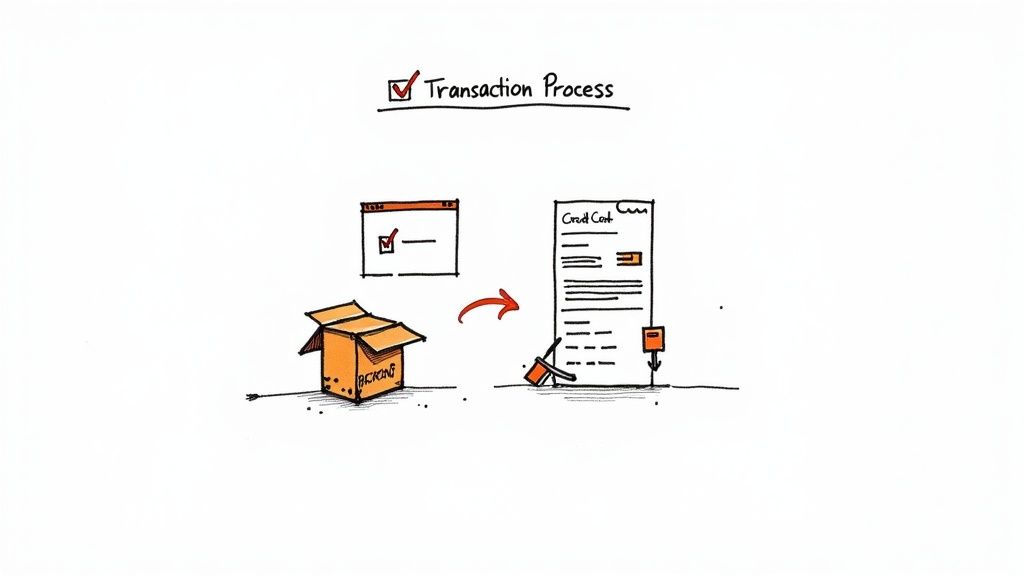
Your first and most powerful line of defense against PayPal chargebacks isn’t some fancy algorithm or a team of lawyers—it's a rock-solid transaction process. I've learned over the years that every single step, from the moment a customer clicks "buy" to when the package lands on their doorstep, is a chance to build trust and gather undeniable proof.
Getting this right flips the script. You stop reacting to disputes and start proactively protecting your revenue.
The whole point is to leave no room for doubt. When a transaction is crystal clear, well-documented, and totally transparent, it's incredibly difficult for a confused customer or a fraudster to win a chargeback. Think of this process as your operational armor.
Craft Crystal-Clear Billing Descriptors
One of the easiest chargebacks to prevent comes from simple confusion. A customer is scrolling through their credit card statement and sees a charge from "ACMEWEBSERVICES LLC." They have no idea that’s the parent company for "Jane's Curated Crafts," where they bought a gift last month. Panic sets in, and they file a dispute.
It's a classic, avoidable problem. Your billing descriptor absolutely must be recognizable.
- Bad Descriptor:
SP*ONLINEPAYMENT - Good Descriptor:
JanesCrafts.comorPAYPAL*JANES CRAFTS
Fixing this is easy. Just log into your PayPal account settings and customize your Credit Card Statement Name. Get it as close to your public-facing brand name as you can. This one small tweak can stop a huge chunk of "unauthorized transaction" claims before they even happen.
Master the Art of Shipping and Delivery Proof
The "Item Not Received" (INR) claim is a constant headache for anyone selling physical goods. If you don't have solid proof that the item you shipped actually made it to the right address, you're almost guaranteed to lose the dispute. This is where your shipping strategy becomes your evidence-gathering strategy.
For every single order, you need to keep records. Don't just hold onto them for a week—we're talking several months.
Key Takeaway: PayPal's Seller Protection program is strict: you must ship only to the address listed on the "Transaction Details" page. Scammers love to pay and then ask you to ship to a "new" address. This is a massive red flag. If you do it, you instantly void your protection and will automatically lose an INR claim.
To build a shipping process that can stand up to scrutiny, follow these rules:
- Use Trackable Shipping: Always, always use a shipping service that provides a tracking number. This is non-negotiable.
- Require Signature Confirmation: For high-value orders (PayPal's threshold is $750, but I recommend it for any item you can't afford to lose), require a signature on delivery. It’s the ultimate proof against INR claims.
- Archive Everything: Keep a digital copy of every tracking number, delivery confirmation receipt, and any customer communication about shipping.
Proactive Communication Builds Trust and Reduces Disputes
Silence is suspicious. When a customer places an order and then hears nothing but crickets, their anxiety starts to build. They wonder if the order got lost or if the store is even legit. This is exactly the kind of thinking that leads to a premature chargeback.
A simple, automated communication sequence prevents this entirely.
- Instant Order Confirmation: The moment they buy, send an email detailing what they bought, the total cost, and the billing info used.
- Shipping Notification: As soon as the label is created, fire off another email with the tracking number and a direct link to the carrier’s website.
- Delivery Confirmation: If you can, set up a final "Your Order Has Arrived" email. It closes the loop and reinforces a positive, professional experience.
These messages do more than just keep the customer in the loop. They create a timestamped digital paper trail proving you were on top of things from start to finish. If a dispute ever comes up, these emails become valuable pieces of evidence. For sellers on platforms like Shopify, these essential communications can sometimes be disrupted by account problems. Understanding how to handle a https://disputely.com/shopify-hold is crucial for keeping your operations and customer updates running smoothly.
For a wider view on setting up a dependable payment infrastructure, which is the foundation of any good transaction process, it's worth exploring some of the best payment processing solutions out there. These systems are built to reduce friction and improve security right from the start.
Using PayPal Seller Protection to Your Advantage
Too many sellers treat PayPal's Seller Protection program like a dusty insurance policy, only thinking about it after a dispute lands. That’s a backward approach, and it's costing you money.
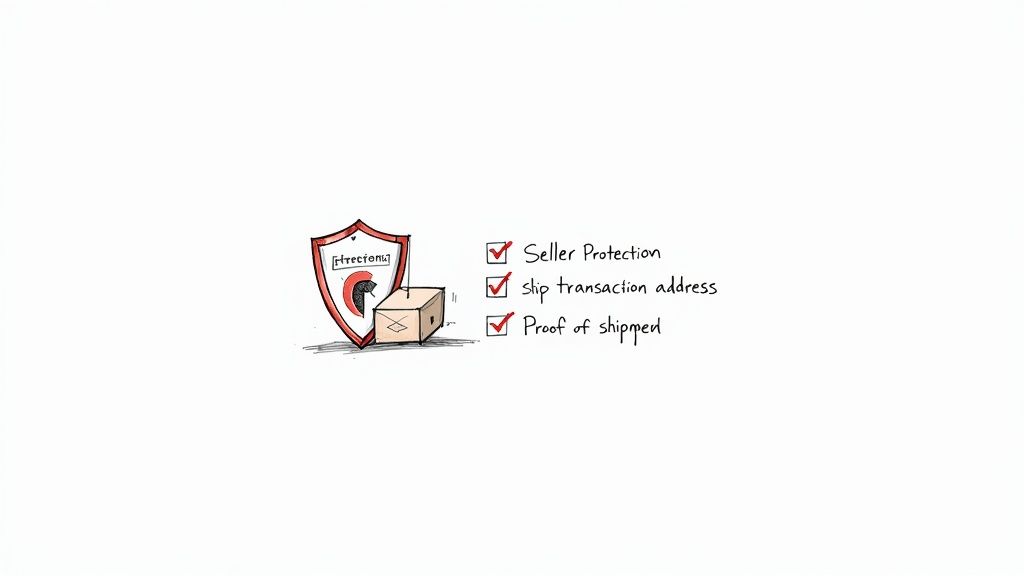
Think of it instead as a free, built-in shield. When you understand the rules, you can use it to block two of the most infuriating chargeback types: ‘Unauthorized Transaction’ and ‘Item Not Received’ (INR). The trick is to stop seeing it as a safety net and start using it as an active part of your everyday sales process. You need to know the rules of the game before you ship, not after the money is already gone.
Decoding the Eligibility Requirements
Qualifying for Seller Protection isn't a matter of chance; it's about following a very specific playbook for every single transaction. While the full policy has its share of fine print, the core rules are surprisingly straightforward.
The absolute golden rule is this: You must ship the item to the address listed on the PayPal "Transaction Details" page. This is non-negotiable. It’s a classic scam for a buyer to pay and then email you with a "small favor," asking to ship to a friend's house or a new apartment. If you do it, you've just voided your protection. You will automatically lose that INR claim.
Beyond that, it all comes down to having solid proof.
- Proof of Shipment: This is your starting point—a receipt from your carrier showing you actually sent the package.
- Proof of Delivery: This is the big one. For physical items, you need an online tracking number that confirms the item arrived at the buyer's address. If the sale is over $750, PayPal requires signature confirmation. No exceptions.
This is all about creating a clear paper trail that proves you did everything right.
Turning Policy into a Practical Checklist
The best way to make this work is to treat every single order as if it's going to end in a dispute. This mindset shift forces you to build the right habits. Create a simple pre-shipment checklist that your team can follow without fail.
Here’s what that checklist should confirm:
- Payment Status: On the Transaction Details page, is the payment marked "eligible" or "partially eligible" for Seller Protection?
- Address Match: Is the shipping address on your label identical to the one on that PayPal transaction page?
- Proof Secured: Do you have a tracking number logged and ready to go?
- Signature Needed? Is the total order value over $750? If so, is signature confirmation added?
The goal here is simple: build an undeniable wall of evidence before a problem even starts. When you can instantly give PayPal a tracking number showing delivery to the verified address, you shut down the vast majority of INR claims on the spot.
This diligence is your best defense against "friendly fraud"—when a real customer files a chargeback out of confusion, buyer's remorse, or simple opportunism. It's a massive problem, with some industry reports suggesting it accounts for as much as 70% of all card-not-present disputes.
While clear refund policies help, airtight proof of delivery is your ultimate trump card. For a deeper dive into these trends, you can find more insights at Chargebacks911.com.
By weaving these Seller Protection requirements into your core fulfillment process, you aren't just protecting a single sale. You're building a stronger, more resilient business and safeguarding your hard-earned revenue.
How to Respond to and Win a PayPal Dispute
Even with the best prevention strategies, chargebacks are just a part of doing business online. Seeing that dispute notification pop up can still make your heart skip a beat. But don't panic. A quick, organized, and professional response is often all it takes to protect your revenue and successfully defend the sale.
The trick is to approach every dispute as a winnable case from the get-go. This means shifting from a reactive scramble to a systematic process. You’ll gather your evidence, communicate clearly, and tell your side of the story in a way that’s easy for PayPal's resolution team to digest.
Your Initial Response Strategy
The clock starts ticking the moment a dispute is filed. PayPal usually gives you about 10 days to submit your evidence. If you miss that deadline, it's an almost guaranteed loss, so moving fast is absolutely critical.
Your first move should always be to head straight to the PayPal Resolution Center. Don't just rely on the email notification—log in to your account and get the official details. Confirm the reason for the dispute and, most importantly, the exact deadline for your response.
With the details in hand, your goal is to build a solid case supported by undeniable proof. Think of yourself as a detective building a case file that leaves no room for doubt.
Assembling Compelling Evidence
The evidence you need really depends on the type of chargeback. A claim for 'Item Not Received' requires a completely different set of documents than a claim for an 'Unauthorized Transaction'.
Here’s a look at some of the most common reasons customers file disputes and the evidence you'll need to fight back effectively.
Common Chargeback Reasons and Required Evidence
Every chargeback reason code tells a story. Your job is to counter that story with hard facts. The table below breaks down what you need for the most frequent types of PayPal disputes.
| Chargeback Reason | Primary Evidence Required | Secondary Evidence to Include |
|---|---|---|
| Item Not Received (INR) | Verifiable online tracking information showing delivery to the buyer's PayPal-confirmed address. | A copy of the shipping label, order confirmation email, and any communication with the buyer about shipping. |
| Significantly Not as Described (SNAD) | A copy of your original product listing or description that accurately describes the item sold. | Pre-shipment photos of the item, customer service emails, or live chat transcripts where the item's features were discussed. |
| Unauthorized Transaction | Proof of delivery to the buyer's confirmed address. For digital goods, server logs or IP logs showing download/access. | Order confirmation emails, AVS/CVV match results from your payment gateway, and any previous transaction history with the customer. |
| Duplicate Transaction | Proof that two separate, legitimate orders were placed and fulfilled. | Records showing distinct orders, tracking numbers for each shipment, and separate invoices. |
As you can see, strong documentation is everything. Having this information ready to go can make the difference between winning and losing.
Expert Tip: Always, and I mean always, respond through the PayPal Resolution Center. It’s tempting to try and sort things out with the customer directly over email, but once a chargeback is filed, that's a mistake. Keep all your communication and evidence in that one official channel. It’s what PayPal’s team needs to see.
Of course, the best defense is a good offense. Learning how to respond to customer complaints effectively can help you de-escalate problems long before they turn into formal disputes.
Crafting a Professional and Persuasive Response
How you present your evidence matters just as much as what you present. You need to stay professional, factual, and calm in your response. Drop any emotional language or accusations—just stick to the facts and let your documents do the heavy lifting.
I find it helps to structure the response with a quick, clear summary of the transaction. Then, follow up with your evidence, organized with clear labels. Think "Attachment 1 - Proof of Delivery" or "Attachment 2 - Customer Email Confirming Order."
Here are a couple of templates you can adapt for common situations:
Template for "Unauthorized Transaction" Disputes
We are challenging this dispute on the grounds that it was an authorized transaction. The purchase for [Product Name] was made on [Date] and shipped to the buyer’s verified PayPal address. We have attached proof of delivery with tracking number [Tracking Number], which confirms it was delivered on [Date]. We have also included the order confirmation email sent to the buyer's registered email address, which further confirms the legitimacy of this transaction.
Template for "Item Not Received" Disputes
We are contesting this 'Item Not Received' claim. This order was shipped on [Date] using [Carrier Name] with tracking number [Tracking Number]. As shown in the attached proof of delivery, the package was successfully delivered to the buyer’s address at [Full Shipping Address] on [Date]. This documentation confirms we fulfilled our obligation and the customer received their order.
Knowing When to Fight and When to Fold
Look, it’s important to defend your business against fraudulent claims, but not every single battle is worth fighting. Sometimes, a strategic retreat is the smarter financial move.
Ask yourself these questions:
- How strong is my evidence? If you’re missing a key piece of proof like a tracking number, your chances of winning are pretty slim.
- What’s the transaction value? For a $5 item, the time you'll spend fighting the dispute might cost you more than just accepting the loss.
- What’s the customer’s history? Is this a long-time customer with a one-off issue, or does this feel like a pattern from a brand-new buyer?
Sometimes, accepting a loss is a calculated business decision. But fighting and winning consistently shows you’re a diligent merchant, which really helps your account's standing with PayPal. For merchants facing a high volume of disputes, especially during busy times, having a solid Q4 representment strategy is non-negotiable for protecting your bottom line.
Automating Your Chargeback Defense System
As your business scales, trying to manually review every single transaction for fraud becomes a losing game. The sheer volume of orders makes it impossible to catch every red flag on your own, leaving you wide open to disputes. This is the point where automation stops being a luxury and becomes an absolute necessity for preventing PayPal chargebacks.
An automated defense system allows you to shift from a reactive, time-consuming process to a proactive one that protects your revenue around the clock. Think of it as your digital watchdog, flagging suspicious orders and giving you a heads-up on new disputes so you can act before the deadlines bite.
Tap Into PayPal's Instant Payment Notifications
One of the most powerful—and surprisingly underused—tools in PayPal's arsenal is the Instant Payment Notification (IPN) system, or its modern counterpart, webhooks. These are essentially real-time alerts that your systems can listen for.
When a dispute is filed, PayPal can send an automated message to a URL you've specified. This little ping can trigger a whole chain of events: it could create a ticket in your customer service software, send an alert to your team's Slack channel, or even automatically pause a customer's subscription.
This is a game-changer. Why? Because the clock on a chargeback response starts ticking the second it's filed. Relying on email notifications is a recipe for disaster—they get missed, flagged as spam, or just buried under a mountain of other messages. A webhook ensures you never miss a deadline simply because you didn't see the initial alert.
This flowchart breaks down the simple but critical flow for handling a PayPal dispute once you get that alert.
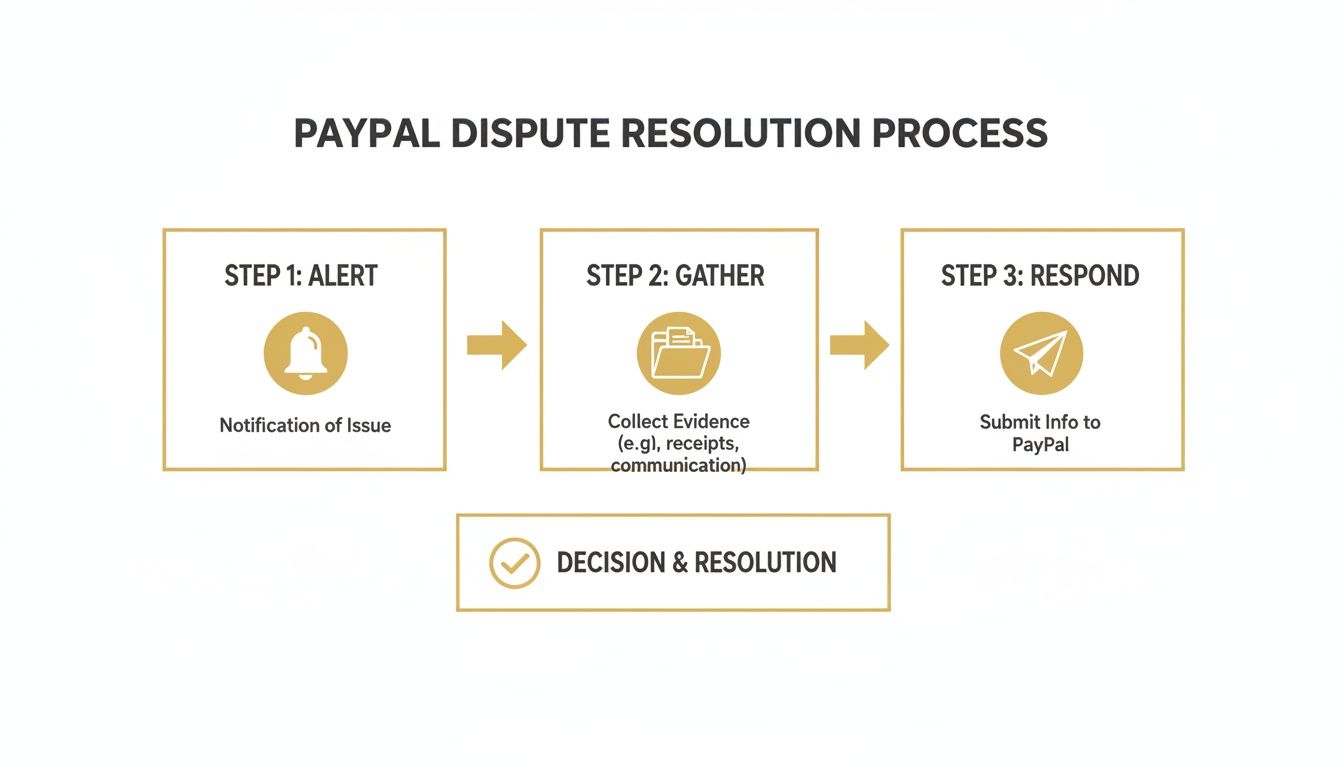
Every step here is time-sensitive, which is why an automated notification system is the foundation of any solid defense strategy.
Integrate Third-Party Prevention Platforms
While PayPal's native tools are a great starting point, integrating a specialized chargeback prevention platform takes your security to a whole new level. Services like Disputely plug directly into your PayPal account and payment gateways to stop disputes before they even turn into official chargebacks.
Here’s how they work: these platforms tap into alert networks from major card issuers like Visa and Mastercard. When a customer calls their bank to complain about a charge, the platform gets an early warning. This gives you a crucial window of 24-72 hours to simply issue a refund.
This small action prevents the dispute from ever being formally filed. That means:
- You dodge PayPal's $20 non-refundable dispute fee.
- The incident never hits your chargeback ratio.
- Your merchant account stays in good standing.
This process is called chargeback deflection. It’s like having a firefighter on standby to put out a spark before it erupts into a full-blown blaze. You can even configure the system to auto-refund low-value alerts while flagging high-value ones for a manual review, giving you total control.
A high chargeback rate can get your funds held in reserve or even get your account terminated. Automation isn't just about winning disputes; it's about protecting the long-term health of your payment processing relationship.
Build a Seamless Automated Workflow
The end goal is a workflow that intelligently manages risk without creating headaches for your legitimate customers. This is best achieved by combining PayPal's tools with third-party intelligence.
For example, a prevention platform might flag a potentially fraudulent order based on risk signals like a mismatched IP and shipping address. This can trigger an automated hold on the order, giving your team a chance to manually verify it before anything ships.
This kind of smart automation frees your team from the soul-crushing work of fighting endless disputes. It lets them focus on what actually grows the business. Exploring different platforms can give you an idea of the potential ROI; for most merchants, the savings on fees and lost revenue are massive. To get a feel for the cost-benefit analysis, you can check out a transparent breakdown like Disputely’s pricing to see how a pay-per-alert model can work.
By automating your defenses, you aren't just trying to prevent chargebacks on PayPal—you're building a more resilient, scalable, and profitable business.
Your Questions About PayPal Chargebacks, Answered
Working through PayPal's dispute process can be confusing, especially with your hard-earned revenue hanging in the balance. Even if you do everything right, you'll still run into questions.
This section tackles the most common questions I hear from merchants about PayPal chargebacks. Let's cut through the noise and get you the clear, practical answers you need.
How Long Do I Have to Respond to a PayPal Chargeback?
When a dispute lands, the clock starts ticking immediately. PayPal gives you 10 days to respond in the Resolution Center. This isn't a suggestion; it's a firm deadline.
If you miss that window, you automatically lose. The money goes back to the buyer, and you've forfeited your chance to fight. This is exactly why relying on email alone is so risky. Real-time notifications are non-negotiable for catching every case before it's too late.
Can I Just Refund the Customer to Stop a Chargeback?
Yes and no. It all comes down to timing.
If a customer reaches out to you directly before filing anything with PayPal, issuing a quick refund is a great move. You solve their problem, keep them happy, and avoid getting a chargeback ding on your record.
But once a formal chargeback is filed, everything changes. Do not, under any circumstances, refund the customer directly. The chargeback case will proceed, and you'll end up losing the chargeback amount plus the money you sent in the separate refund. It’s a painful double-loss scenario.
Once a chargeback is officially in the system, your only move is to handle it through the PayPal Resolution Center. Any "off-the-books" refunds are invisible to the process and will only cost you more money.
What Happens If I Get Too Many PayPal Chargebacks?
A high chargeback rate is a red flag that can put your entire payment processing ability at risk. PayPal keeps a close eye on your dispute ratio, and if it creeps above the 1% threshold, you can expect consequences.
Things can escalate quickly:
- Holding Your Money: They might place a rolling reserve on your account, holding back a portion of your daily sales to cover potential future chargebacks.
- Higher Fees: You'll likely get re-categorized as a "high-risk" merchant, which comes with more expensive transaction fees.
- Account Shutdown: In the worst-case scenario, PayPal could limit or even permanently close your account. For many businesses, that's a catastrophic loss of revenue.
Keeping that ratio down by fighting and winning disputes isn't just about the money from that one sale; it's about keeping your account healthy for the long term.
Is It Even Worth Fighting a Small-Dollar Chargeback?
Absolutely, and here's why. It might feel like a waste of time to fight over $15, but it's a crucial part of a bigger strategy.
When you consistently fight every illegitimate claim, you build a reputation as a merchant who tracks everything and defends their business. This matters. It shows PayPal you're serious, and it can even discourage opportunistic "friendly fraud" from customers who think they can get something for free. Every single win, no matter how small, strengthens your standing.
Don't let chargebacks slowly bleed your business dry. With a tool like Disputely, you can get real-time alerts directly from Visa and Mastercard networks. This gives you the chance to refund a customer before the issue ever escalates into a formal, damaging chargeback. Protect your revenue, dodge the fees, and secure your merchant account.


