
A Merchant's Guide to Handling a Refund on Shopify
Let’s be honest, nobody likes processing refunds. It feels like a step backward. But in the world of ecommerce, handling refunds smoothly is one of the most important things you can do for your business. A clunky, slow, or confusing refund process is more than just an inconvenience—it’s a direct hit to your customer loyalty, your reputation, and ultimately, your bottom line.
Shopper expectations are higher than ever. They want returns to be easy, and if you drop the ball, you're not just risking a bad review. You're looking at lost customers and, even worse, costly chargebacks.
Why Getting Shopify Refunds Right Is a Game-Changer
Issuing a refund on Shopify isn't just about sending money back. Think of it as a critical moment in your relationship with a customer. In a space where trust is your most valuable asset, a fast and transparent refund can actually turn an unhappy buyer into a repeat customer. It shows you stand behind your products and value their business.
On the flip side, a bad experience can burn that bridge for good, sending them straight to your competition.
The financial side of this is staggering. Ecommerce return rates are hovering around 16.9% on average. That means for every 100 products you sell, nearly 17 are coming back. This puts a ton of pressure on your margins, as the costs to process those returns can quickly eat into your profits.
The Hidden Costs of a Broken Refund System
A poorly managed refund process creates problems that go way beyond a single lost sale. The negative effects spread throughout your business, creating hidden costs and operational nightmares that can seriously hold you back.
- Losing Customers for Good: A frustrating return is one of the fastest ways to ensure a customer never shops with you again. Worse, they’ll probably tell their friends or leave a negative review online.
- Spiking Your Chargeback Risk: When a customer feels ignored or that their refund is being unfairly held up, their next step is often calling their bank to dispute the charge. A chargeback is a much bigger and more expensive problem than a simple refund.
- Draining Your Time and Resources: If you’re manually tracking every return, answering endless "where's my refund?" emails, and fixing errors, you're wasting time. That's valuable energy you could be using to actually grow your business.
Thankfully, the Shopify refund interface gives you the tools you need to handle these situations with precision.
From this single screen, you can control exactly what gets refunded, including shipping costs, and decide whether to restock the items. Getting this right is a core part of running a successful store, and it all starts with choosing the best ecommerce platforms, including Shopify to build your foundation on.
Getting Refunds Right in Shopify
When a customer asks for their money back, you’re at a critical moment. A smooth, fast refund process can actually build trust, but get it wrong, and you risk turning a simple return into a painful—and expensive—chargeback. Thankfully, Shopify’s system makes issuing refunds pretty straightforward once you know your way around, whether you're dealing with a full order or something a bit more complicated.
Your starting point is always the specific order in your Shopify admin. Just head to the Orders section and use the search bar to pull it up by the customer's name, email, or order number. Once you've got the order open, you're ready to go.
This isn't just about clicking a button; a botched refund can have a real domino effect on your business.
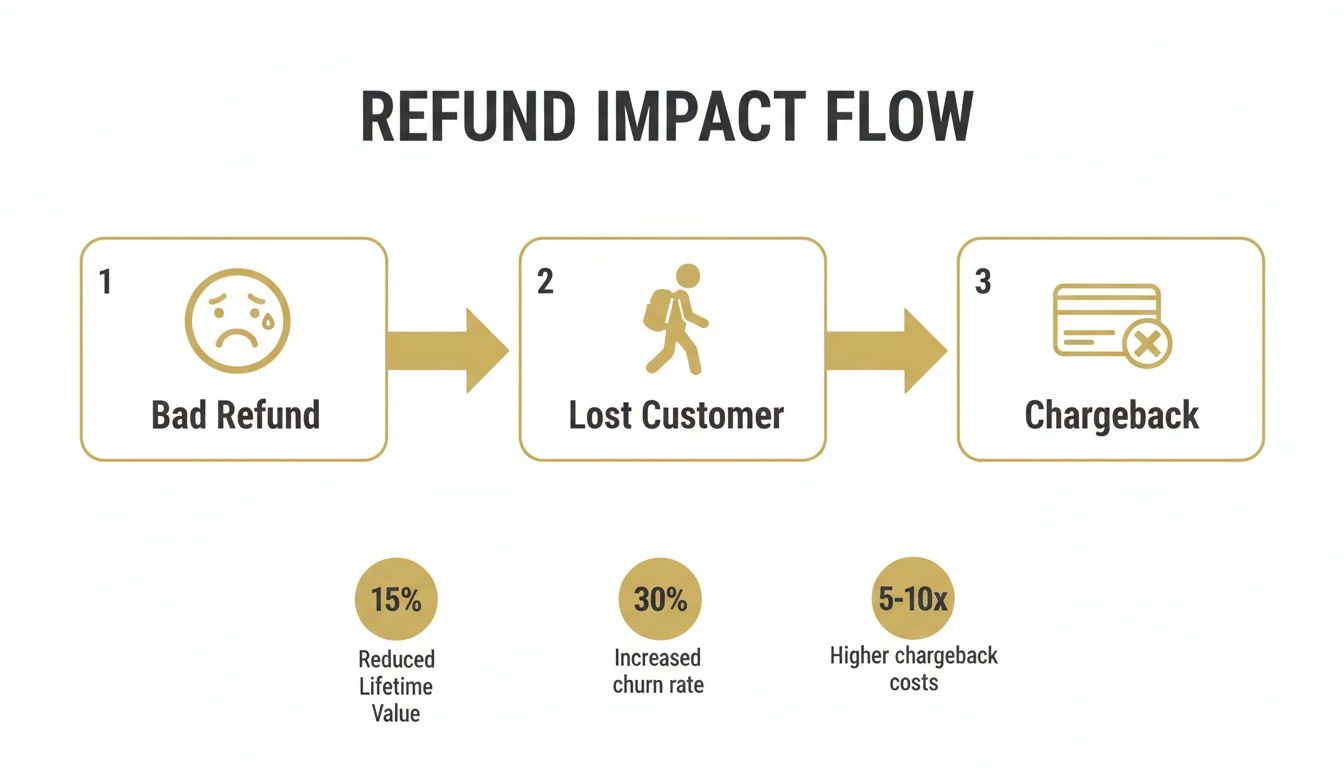
As you can see, that initial interaction is your chance to stop a problem before it spirals. Nail the refund, and you prevent the headache of lost customers and chargeback disputes down the road.
Full vs. Partial Refunds: Knowing the Difference
Refunds aren't a one-size-fits-all deal. Sometimes a customer sends the whole order back, and other times it's just one item from a bigger purchase. Shopify is built to handle both scenarios cleanly.
With a full refund, it couldn’t be easier. When you click the 'Refund' button on the order page, Shopify automatically populates the quantities for every item in the order. From there, you just need to decide if you also want to refund the original shipping cost and whether to restock the items.
Partial refunds require a little more precision. Let's say a customer bought a t-shirt and a hat but decided the hat wasn't for them. In the refund screen, you would manually set the t-shirt quantity to 0 and leave the hat quantity at 1. This ensures you’re only returning the money for the item you actually got back.
My Two Cents: Seriously, always double-check the numbers before hitting that final 'Refund' button, especially on partials. There’s no undo button. One slip-up, and you might accidentally refund the entire order when you only meant to refund a fraction of it.
Refunding Shipping and Handling POS Returns
What about shipping costs? It's a common question, particularly if you messed up an order or an item arrived damaged. Inside the refund interface, you'll see a separate field specifically for Refunding Shipping. You can refund the entire shipping fee or just a portion of it, completely independent of the product costs.
If you're running a brick-and-mortar store with Shopify POS, the process is just as slick. You can pull up the original order right from the POS app and process the return on the spot. All the same options are there: refund specific items, restock them, and send the money back to the original payment method or issue it as store credit.
No matter the refund type, keeping the customer in the loop is non-negotiable. Shopify can automatically fire off an email notification once you process the refund. This little piece of communication is huge for managing expectations, as it usually takes 5-10 business days for the money to actually hit their account.
Sometimes, things get held up by payment processors. If you're seeing unexpected delays, it's worth understanding the common causes of a Shopify Payments hold to see if that's impacting your refund timelines.
To make things even clearer, here’s a quick-reference table for the most common refund scenarios you'll face. It breaks down what to do in each situation.
Shopify Refund Scenarios and Actions
| Scenario | Type of Refund | Key Action in Shopify Admin |
|---|---|---|
| Customer returns all items | Full Refund | Refund all item quantities and the original shipping fee. |
| Customer returns one of three items | Partial Refund | Adjust refund quantity to 1 for the returned item only. |
| Order arrived damaged | Full or Partial Refund | Refund the affected items plus the original shipping fee. |
| Item exchanged for a cheaper one | Partial Refund | Manually enter the price difference as the refund amount. |
This table should help you quickly identify the right steps in the Shopify admin, ensuring you handle every return accurately and professionally.
Turning Returns Into a Revenue Opportunity
Let’s be honest, seeing a return request pop up is never a great feeling. For most store owners, it feels like a dead end: you issue a refund on Shopify, you lose the sale, and you’re stuck eating the costs. But what if you saw it as a fork in the road instead? One path leads to a lost sale. The other leads to a stronger customer relationship and keeps that revenue right where it belongs—in your business.
This isn't about some wishful thinking. It's a strategic pivot that smart brands are making every day. The trick is to reframe the entire experience and make an exchange the most attractive, easiest option on the table. A customer who exchanges is giving you a second shot, and that kind of engagement is priceless.
Making Exchanges the Path of Least Resistance
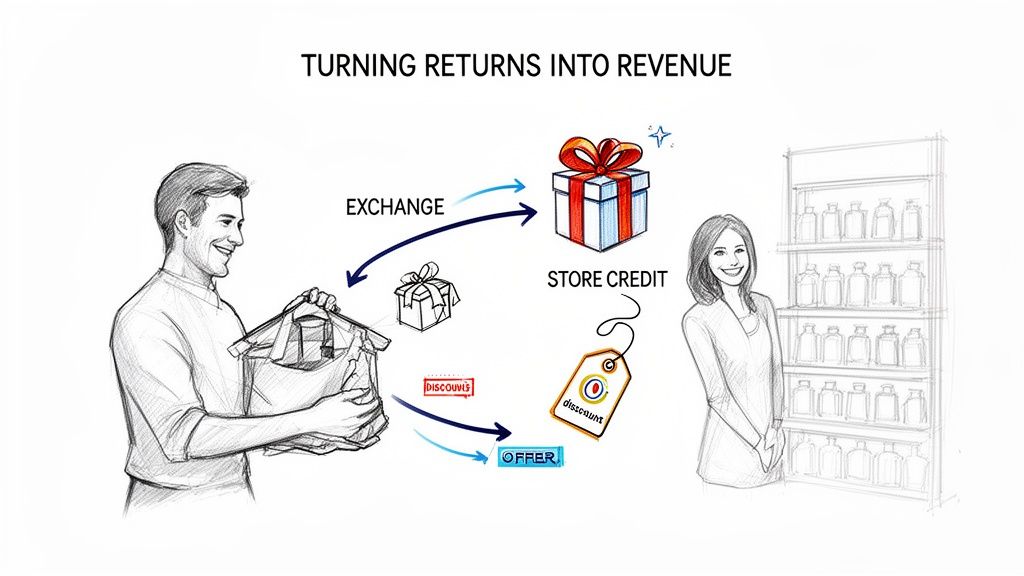
Your main job here is to remove every possible bit of friction from the exchange process. Think about your returns portal. Instead of just a big "Refund" button, it should be actively nudging customers toward finding a better fit—whether that’s a different size, a new color, or even an entirely different product. The goal is to make it feel less like a transaction reversal and more like a personalized shopping do-over.
A little incentive can go a long way in nudging them in the right direction. Here are a few ideas I’ve seen work wonders:
- Bonus Store Credit: Toss in an extra $5 or $10 in store credit if they opt for an exchange instead of taking the cash.
- Free Exchange Shipping: Make exchanges completely free, but have the customer cover the shipping cost for a simple refund.
- Instant Exchanges: This is a game-changer. Use an app that ships the new item out immediately, without waiting to receive the original product back.
This isn't just a "nice-to-have" strategy; it's a direct counter to a very expensive problem. Just look at the UK, where a staggering 78% of all ecommerce returns end in a full refund—the worst exchange rate in the world. With returns projected to cost U.S. retailers $849.9 billion by 2025, that refund-first mentality is just bleeding profits and loyalty. You can dig deeper into these numbers in Loop's 2025 State of Ecommerce Returns Report.
Leaning on Apps and Automation
Trying to juggle a sophisticated, exchange-first returns program manually is a recipe for headaches. This is exactly where the right Shopify apps become your best friend. Tools like Loop, Returnly, or Happy Returns can build a slick, self-service portal that automates the whole thing.
When you build an exchange-first returns process, you completely change the dynamic. The conversation flips from "I want my money back" to "Help me find something I'll actually love." That's a far more productive—and profitable—place to be.
These platforms plug right into your inventory, showing customers exactly what’s available for a swap in real-time. They can also automatically apply your rules for bonus credits and shipping fees. By rethinking your approach and getting the right tech in place, you can turn returns from a costly hassle into a genuine opportunity to create happier, more loyal customers who stick around.
Using Refunds to Prevent Costly Chargebacks
Let's get one thing straight: a chargeback isn't just another word for a refund. It's a refund's much more destructive cousin. While both end with you returning money to a customer, the process, the cost, and the consequences are worlds apart. Grasping this difference is the first step in protecting your business from some serious financial headaches.
When you refund on Shopify, you’re in the driver's seat. You talk to the customer, you figure out a solution, and you voluntarily send the money back. It's a normal part of doing business, whether you're dealing with a damaged product or a customer who just changed their mind.
A chargeback, on the other hand, is a forced reversal initiated by the customer's bank. The customer skips you entirely and goes straight to their bank to dispute the charge. The bank then yanks the money from your account and kicks off a formal dispute process. This is where things get messy.
The True Cost of a Single Chargeback
Losing the sale is just the tip of the iceberg. For every single chargeback filed against you, your payment processor—Shopify Payments included—slaps you with a non-refundable penalty fee. This fee is usually around $15 per incident, and you owe it whether you win or lose the dispute.
Those fees add up fast, but the bigger danger is to your merchant account's health. Payment networks like Visa and Mastercard are always watching your chargeback ratio. If it creeps too high, they can stick you in a high-risk monitoring program, jack up your processing fees, or, in the worst-case scenario, pull the plug on your ability to accept credit cards altogether.
It’s a nightmare scenario that sneaks up on many merchants. While the average Shopify merchant sees a chargeback rate around 0.56%, a staggering 25% of merchants blow past the 1% threshold that gets processors' attention. You can dig into more of these troubling Shopify statistics on Chargebacks911.com. This reality makes being proactive a non-negotiable part of running your store.
Using Alerts to Issue Strategic Refunds
This is exactly where chargeback alerts become a game-changer. These systems give you a critical heads-up, creating a small window of opportunity to turn a brewing chargeback back into a simple, controlled refund.
A proactive refund is a small, manageable business cost. A chargeback is an uncontrolled disaster with escalating fees and long-term risk to your entire payment processing setup. Knowing when to refund isn't giving in; it's a strategic defense.
Services like Disputely plug directly into the card networks. The moment a customer calls their bank to start a dispute, you get a notification. This alert opens up a crucial 24-72 hour window for you to take action.
Instead of letting the dispute snowball into a formal chargeback, you can use that window to issue a full refund immediately. This simple action tells the customer's bank that the issue has been resolved, stopping the chargeback process dead in its tracks.
You've effectively short-circuited the entire dispute. You dodge the $15 penalty fee, you protect your precious chargeback ratio, and you keep your payment processor happy. For stores doing any real volume, automating this is essential risk management. By setting up rules to automatically refund certain types of disputes, you can stop the vast majority of chargebacks before they ever hit your record.
If you're looking for more advanced tactics for managing disputes, especially during busy seasons, our guide on Q4 chargeback representment is a great next step.
Troubleshooting Common Shopify Refund Headaches
Even with a system as polished as Shopify's, refunds can sometimes go sideways. Let's be real—things don't always go according to plan. Knowing how to handle the most common glitches will save you a ton of time, keep your customers happy, and protect your store's reputation. A failed refund can quickly turn a simple return into a major customer service fire.
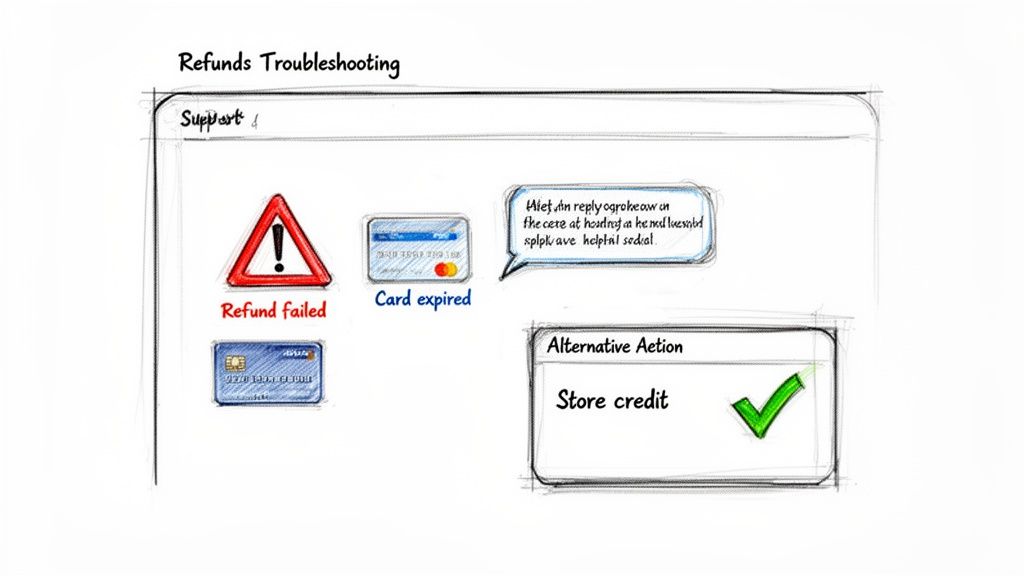
The most common roadblock you'll likely hit is the dreaded "Refund failed" error message. It’s vague, it's frustrating, and it can pop up for a few different reasons, but it usually comes down to a problem with the customer's original card or the payment gateway itself.
What to Do When Refunds Fail or Cards Expire
The moment you see that "failed" notification, your first move should be to dive into the order's timeline in your Shopify admin. This log is your best friend—it often gives you the specific error code or a bit more context than the generic message.
More often than not, the culprit is a customer's credit card that has since been canceled or expired. Think about it: if someone made a purchase months ago, it’s entirely possible they’ve received a new card from their bank since then.
Sometimes, the customer's bank is smart enough to reroute the refund to their new card automatically. But if the entire bank account has been closed, that refund is going to bounce right back. When that happens, you need to get in touch with the customer directly, explain what happened, and work with them to find another way to send the funds.
The key here is to be proactive and offer solutions, not excuses. A failed refund isn't the customer's fault. How you handle it is what separates a helpful, professional store from a difficult one.
Navigating Payment Gateway Timelines
Another common point of friction is the refund processing time. You'll inevitably get emails from customers asking, "Where's my money?" just a day after you hit the refund button. It's important to set clear expectations because the timing really depends on the payment method they used.
- Shopify Payments: You can tell customers to expect the funds to appear on their statement within 5-10 business days.
- PayPal: Refunds through PayPal are usually much quicker, often hitting the customer's account in just 1-3 business days.
- Third-Party Gateways: If you're using other processors like Stripe or Authorize.net, their timelines can be all over the map. It's a good idea to know their specific policies so you can give customers accurate information.
When a direct refund to the original payment method is completely off the table—like with that closed bank account—you need a Plan B. Offering store credit is often the best alternative. It keeps the cash in your business and gives a potentially unhappy customer a good reason to come back and try another product.
If store credit isn't a good fit, you could arrange a manual bank transfer or send the money through a service like PayPal. If you're stuck on more technical issues, you can always find help through the Disputely support resources to walk you through the problem.
Your Top Shopify Refund Questions, Answered
When you're running a store, a few questions about refunds always seem to pop up. Knowing the answers ahead of time means you can act fast, keep your customers happy, and protect your business. Let's tackle some of the most common questions we hear from merchants.
How Long Does a Shopify Refund Take to Process?
This is a big one. Once you hit that refund button in Shopify, the clock starts ticking, but the final timeline really depends on the customer's bank. If you're using Shopify Payments, the refund is sent to their bank instantly on your end.
From there, it typically takes 5-10 business days for the money to actually land back in their account. PayPal is often quicker, usually just a few days. The key here is communication. Always let your customers know about this potential delay to keep those "where's my money?" emails at bay.
Can I Cancel a Refund Once I've Issued It?
Pay close attention to this one: once a refund is sent through Shopify, it's final. There is no undo button. The transaction is immediately fired off to the payment processor and is out of your hands.
What if you refunded the wrong amount or the whole order by accident? Your only real option is to get in touch with the customer, explain what happened, and figure out a way for them to pay again. This usually means creating and sending a new draft order invoice.
This is exactly why you need to pause and double-check every detail—the items, the quantities, the total amount—before confirming a refund. Once it's gone, it's gone.
Does Shopify Refund Its Transaction Fees?
Unfortunately, no. Shopify does not refund the credit card transaction fees when you process a return.
Let's say you had a $100 order. The transaction fee might have been around $3.20 (2.9% + 30¢). When you refund that $100 to the customer, that $3.20 is simply gone. It's a cost you absorb. This little detail makes preventing returns and especially chargebacks a huge priority for protecting your profit margins.
What Happens If a Customer's Card Is Expired?
This situation is more common than you'd think. If a customer's original card has expired or been canceled, the refund can often still make it through. Most banks are smart enough to automatically route the funds to the new card linked to that same bank account.
The real problem arises if the customer has closed that bank account entirely. In that case, the refund will fail. You'll need to contact the customer directly to work out an alternative, whether that’s a direct bank transfer, a PayPal payment, or even store credit.
Handling refunds is just part of the game, but avoiding disputes in the first place is the best strategy. Tools like Disputely can give you a major advantage by providing real-time chargeback alerts directly from the card networks. This gives you a critical window to issue a proactive refund, sidestepping the entire chargeback process and its associated fees and penalties.


