
Your Guide to Shopify Payment Processing Fees
Whenever a customer swipes or enters their credit card details on your Shopify store, a small fee gets deducted from the sale. This is your payment processing fee, typically a mix of a percentage and a small flat rate, like the common 2.9% + $0.30.
The simplest way to handle this is with Shopify's own system, Shopify Payments. Using it gets you the best rates, and those rates get even better as you move up to higher-tier Shopify plans. If you decide to use an external payment gateway like PayPal or Stripe, be prepared to pay Shopify an extra fee on top of what your gateway charges.
A Quick Guide to Your Processing Costs
Getting a handle on Shopify's payment processing fees is absolutely essential for your store's bottom line. It's not just one fee; it's a bundle of costs that pay for the whole system—the banks, card networks like Visa and Mastercard, and Shopify itself. Think of it as the price of admission for offering customers a fast, secure, and seamless checkout experience.
Most store owners will interact with these fees through Shopify Payments, the platform’s built-in processor. The rates are cleverly tiered based on your subscription plan, so as your business grows and you upgrade, your per-transaction costs actually go down. It's a smart incentive to keep you scaling within the Shopify ecosystem.
The Two Paths for Processing Payments
When it comes down to it, you have two main options for accepting payments, and they come with very different price tags.
- Using Shopify Payments: This is the default route and, for most merchants, the most economical. It rolls everything into a single, predictable rate. You pay one fee per sale, plain and simple.
- Using a Third-Party Gateway: You can also use an external processor like Authorize.net. If you go this route, you’ll pay their processing fees plus an additional transaction fee to Shopify for the privilege of not using their native system.
The bottom line is pretty clear: sticking with Shopify Payments is almost always the cheaper option. That extra third-party fee can be anywhere from 0.6% to 2.0%, which can take a serious bite out of your profit margin on every single order.
Shopify Payment Processing Fees At a Glance
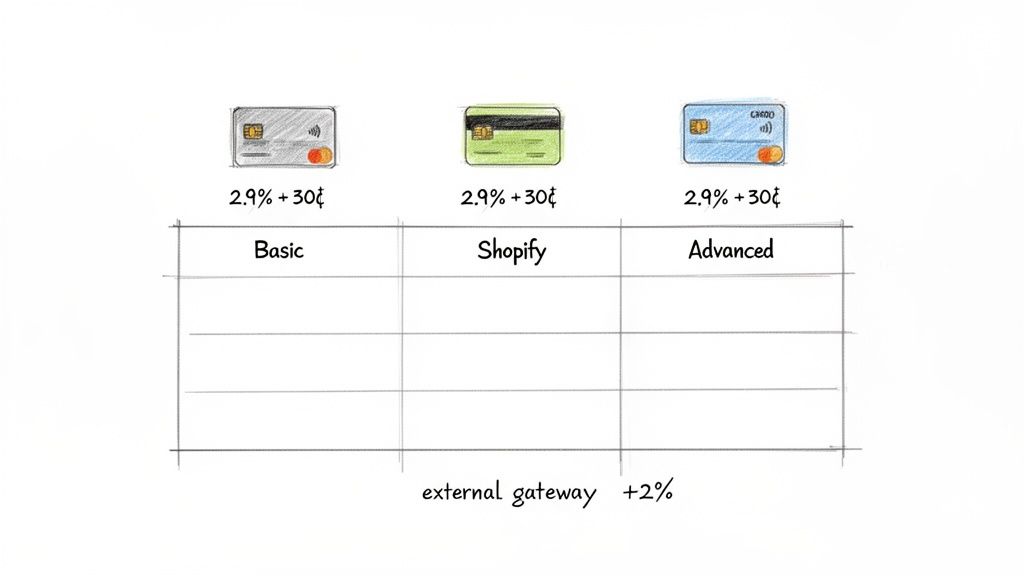
Here’s a quick table to show you exactly what to expect with each plan. It breaks down the rates for using Shopify Payments versus the extra fee you'll pay for bringing in an outside processor.
| Shopify Plan | Online CC Rate (Shopify Payments) | In-Person CC Rate (Shopify Payments) | Third-Party Gateway Fee |
|---|---|---|---|
| Basic Shopify | 2.9% + 30¢ | 2.6% + 10¢ | 2.0% |
| Shopify | 2.7% + 30¢ | 2.5% + 10¢ | 1.0% |
| Advanced Shopify | 2.5% + 30¢ | 2.4% + 10¢ | 0.6% |
As you can see, the difference is significant. Choosing the right plan and payment setup from the start can save you a substantial amount of money as your sales volume grows.
How Shopify Payment Processing Actually Works
Before we get bogged down in the numbers, let's pull back the curtain on what happens when a customer clicks "Buy Now." It feels instant, but behind the scenes, a lightning-fast financial relay race kicks off. Thinking of it this way helps make sense of why those processing fees exist in the first place.
In just a few seconds, money has to pass through several hands to get from your customer's bank account to yours. Each player in this race takes a small cut for their role in making the transaction happen securely and successfully.
The Key Players in Every Transaction
At its heart, every single card payment is a conversation between four main parties. Your payment processor—in this case, Shopify Payments—acts as the master coordinator, making sure everyone talks to each other correctly.
Here’s a quick look at who’s involved:
- The Customer's Bank (Issuing Bank): This is your customer's bank (think Chase, Bank of America, etc.). Their main job is to give the transaction a thumbs-up or thumbs-down based on the customer’s available funds or credit limit.
- The Card Network (e.g., Visa, Mastercard): These are the superhighways that payment information travels on. Visa and Mastercard set the rules of the road and charge interchange fees, which are a huge chunk of your total processing cost.
- Your Bank (Acquiring Bank): This is the bank that partners with your payment processor to accept the funds on your behalf and eventually deposit them into your business account.
- The Payment Gateway: Think of this as the digital armored truck. It’s the secure technology that encrypts sensitive card details and sends them from your checkout page to the processor.
When you use a built-in system like Shopify Payments, it neatly bundles the payment gateway and processor roles together. Instead of juggling different services and fees, you get one simple, predictable rate. It's a huge simplification of a very complex process.
Following the Money from Click to Deposit
So, what does this relay race look like in real-time?
When a customer hits "Pay" on your store, the payment gateway instantly encrypts their card info and sends it to the card network. The network then zips that request over to the customer's issuing bank.
The issuing bank quickly checks for enough funds and any red flags for fraud. Within a second or two, it sends an approval (or denial) signal all the way back. If it's approved, the money is set aside for you.
Finally, your acquiring bank collects the funds and drops them into your merchant account, but not before subtracting all the little fees for the other players. This is why a $100 sale never lands as a $100 deposit in your bank.
You can get this whole system working for you when you sign up for Shopify and enable Shopify Payments, which handles all these moving parts automatically. Understanding this flow is the key to seeing why shopify payment processing fees are just a standard cost of doing business online.
A Detailed Breakdown of Every Shopify Fee
To get a real handle on your store's profitability, you have to look past the headline rates. Understanding every piece of the puzzle that makes up your Shopify payment processing fees is crucial. It’s not just one number; it’s a mix of different costs that shift based on your plan, where your customer lives, and even the type of card they use.
When a customer hits "buy," a quick but complex journey begins. The payment moves from their bank, through the payment networks, to your store, with Shopify acting as the central hub making it all happen seamlessly.
This diagram shows that four-step flow in action, from your customer’s wallet to your bank account.
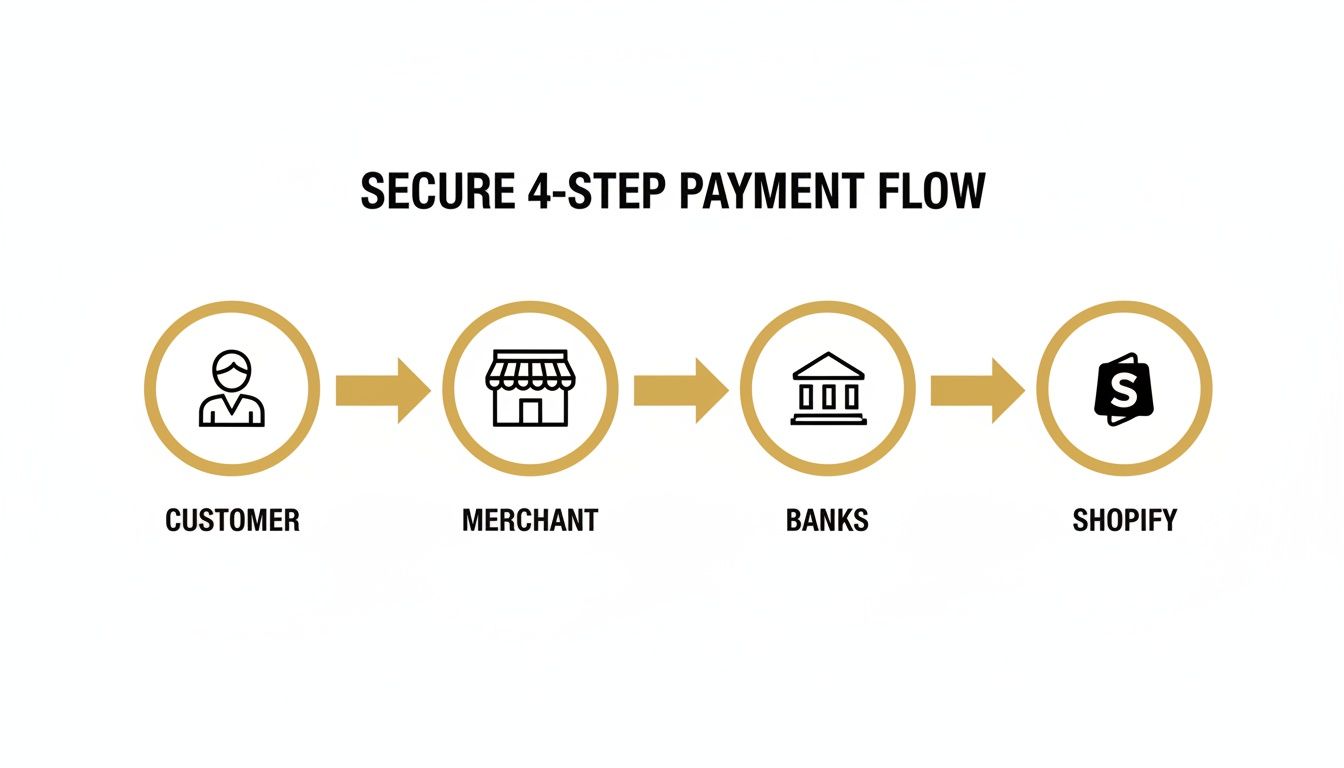
Each step in that process involves different players who all need a small slice of the pie for their services. That's why you see a single, bundled fee. Let's break down exactly what those fees are and how they change.
Shopify Payments Fees By Plan
The biggest single factor that dictates your processing costs is your Shopify subscription plan. Shopify builds in a pretty powerful incentive to scale: as you upgrade to a higher-tier plan, your per-transaction rates go down.
The rates are broken into two main buckets: sales through your online store and sales you make in person with a POS reader.
- Online Credit Card Rates: This is the fee for any purchase made on your website.
- In-Person Credit Card Rates: This applies to sales made with Shopify POS hardware, like at a retail store, a market, or a pop-up shop.
As of 2026, if you're on the Basic plan using Shopify Payments, you'll pay 2.9% + $0.30 for every online sale. That rate drops to 2.7% + $0.30 on the Shopify plan and down to 2.5% + $0.30 on Advanced. For in-person sales, the rates are even better: 2.6% + $0.10 (Basic), 2.5% + $0.10 (Shopify), and 2.4% + $0.10 (Advanced). This makes Shopify a strong contender for brands that sell both online and in person.
However, if you decide to use a third-party processor like Stripe or PayPal, Shopify tacks on a hefty additional fee: 2.0% on Basic, 1.0% on Shopify, and 0.6% on Advanced. For more context, check out some recent analyses of Shopify's fee structures.
The Key Takeaway: Upgrading your Shopify plan isn't just about getting new features. If you have decent sales volume, the savings from the lower processing fees can often cover the entire cost of the plan upgrade itself, and then some.
The Cost Of Using An External Gateway
Shopify Payments is almost always the most straightforward and cheapest option. But some businesses, especially those in high-risk industries, might need to use a third-party payment gateway. If you go this route, just be ready for an extra layer of cost.
Shopify charges an additional transaction fee on top of whatever your chosen gateway charges. Think of it as a penalty for not using their in-house system.
- Basic Shopify Plan: 2.0% additional fee
- Shopify Plan: 1.0% additional fee
- Advanced Shopify Plan: 0.6% additional fee
Let’s see how this plays out. Imagine you make a $100 online sale, and your third-party gateway charges you a standard 2.9% + $0.30. If you're on the Basic Shopify plan, your costs stack up fast. You’ll pay $3.20 to your gateway plus another $2.00 to Shopify. Your total fee for that one transaction is $5.20.
With Shopify Payments, that same transaction would have only cost you $3.20.
To make this crystal clear, here’s a table showing the total cost for a $100 domestic sale across the different plans, comparing Shopify Payments against a third-party gateway.
Detailed Fee Breakdown for a $100 Transaction
| Shopify Plan | Shopify Payments Total Fee | Third-Party Gateway Fee (Example: 2.9% + $0.30) | Shopify's Additional Fee | Total Fee with Third-Party Gateway |
|---|---|---|---|---|
| Basic | $3.20 | $3.20 | $2.00 | $5.20 |
| Shopify | $2.90 | $3.20 | $1.00 | $4.20 |
| Advanced | $2.70 | $3.20 | $0.60 | $3.80 |
As you can see, the additional fees for using an external gateway can dramatically increase your costs, especially on the Basic plan. It’s a powerful nudge from Shopify to keep everything within their ecosystem.
International Sales and Currency Conversion Fees
Selling to a global audience is one of the best parts of ecommerce, but it brings a few more fees into the picture. When you sell to a customer in another country, you can run into two potential costs.
International Card Fee: If a customer pays with a credit card issued outside of your store's country, Shopify Payments adds an extra 1% fee. This fee applies even if they pay in your store's primary currency.
Currency Conversion Fee: If you use Shopify Payments to handle the currency exchange automatically, another fee gets applied to the converted amount. For stores based in the US, this fee is 1.5%. For all other countries, it’s 2.0%. This covers the risk Shopify takes on with fluctuating exchange rates.
Let's say you’re a US-based store and you sell a product for €100 to a customer in France. On that one sale, you’ll pay your standard processing rate, the 1% international card fee, and the 1.5% currency conversion fee. These small percentages can really add up and start to nibble away at your profit margins on international orders.
Finally, you might have heard that some premium cards, like American Express, have higher processing costs. While that's true at the interchange level, Shopify Payments simplifies this for you with a flat-rate model. The rate you see is the rate you pay, whether your customer uses a Visa, Mastercard, or Amex for a domestic sale.
The Hidden Costs of Chargebacks and Dispute Fees
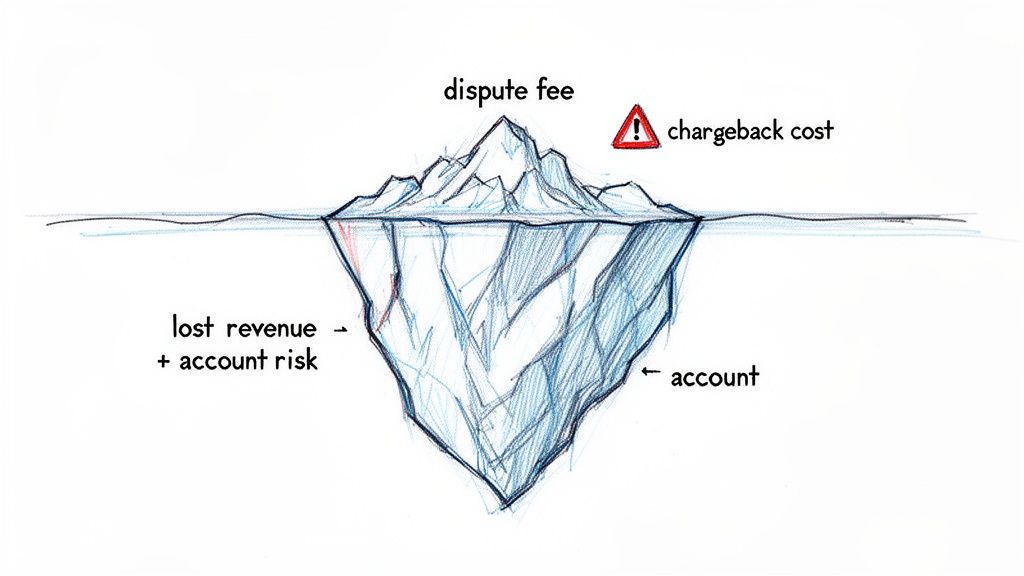
Your standard Shopify processing fees are a predictable cost of doing business—think of them as the rent for your digital storefront. Chargebacks, on the other hand, are the unexpected disasters that can silently sink your profits. They introduce a painful layer of cost that goes way beyond just losing the original sale.
A chargeback is essentially a forced refund, kicked off by a customer's bank. When a cardholder disputes a charge for any reason—maybe they claim it was fraud, the product never showed up, or it wasn’t what they expected—the money is immediately pulled from your account while the bank investigates. This process isn't just an inconvenience; it comes with its own nasty fees.
Unpacking the True Cost of a Single Dispute
When a chargeback hits, you lose a lot more than just the money from that one sale. Shopify, like every other processor, tacks on a non-refundable dispute fee to cover their administrative work. For merchants in the US using Shopify Payments, this fee is typically $15.
Let’s do the math. If a customer disputes a $100 order and you lose, you don't just lose the $100. You're out the sale revenue, the product you shipped, what you paid for shipping, and that extra $15 dispute fee.
So, that $100 order actually costs you $115 in cash, not to mention the value of your lost inventory. A handful of these can quickly turn a profitable month into a loss.
A chargeback isn't just a refund in reverse; it's a penalty. On top of losing the sale, you're hit with a separate fee that directly impacts your bottom line, making proactive dispute prevention essential for financial health.
Beyond your regular transaction fees, these disputes represent a huge hidden expense. Using stronger fraud detection is one of the best ways to get ahead of these losses. You can learn more about how modern tools help by reading about AI fraud detection for online stores.
Why Chargeback Rates Threaten Your Entire Business
Losing money on a few disputes is bad enough, but the real danger lies in what happens when you get too many of them. Payment networks like Visa and Mastercard are always watching your chargeback rate—the ratio of disputes to your total transactions. If that rate starts to climb over their thresholds, which can be as low as 0.9%, your store gets flagged as "high-risk."
And that’s a label you really don't want.
Once you’re considered high-risk, payment processors can take some pretty drastic measures to protect themselves:
- Account Reserves: They might start holding back a chunk of your money (often 10% or more) for 90-180 days to cover any potential future chargebacks. This can absolutely cripple your cash flow.
- Higher Fees: Your standard processing rates could go up because you’re now seen as a riskier client.
- Account Termination: In the worst-case scenario, they can just shut down your payment processing account entirely. Suddenly, you can't accept credit cards at all.
All of a sudden, fighting chargebacks isn't just about saving $15 here and there. It's about protecting the very heart of your business. If you want to understand the severe consequences, learning what happens during a Shopify account hold can be a real eye-opener. The stakes are incredibly high, which is why managing disputes should be a top priority for any serious ecommerce brand.
How to Strategically Reduce Your Shopify Fees
Okay, so now you know how Shopify's payment processing fees work. That's the first step. But the real game-changer for your bottom line is figuring out how to lower them.
While some of these costs are just part of doing business, you have more control than you think. The two most powerful levers you can pull are picking the right Shopify plan for your sales volume and shutting down chargebacks before they drain your profits. One is about smart, predictable savings as you grow, and the other is about protecting yourself from those nasty, unexpected penalties.
Run a Break-Even Analysis on Your Shopify Plan
"When should I upgrade my Shopify plan?" It’s a question every growing merchant asks. The answer isn't just about getting fancier features—it's simple math. Moving from the Basic plan to the Shopify plan costs more each month, but your online processing rate drops from 2.9% to 2.7%.
That 0.2% difference looks tiny on paper, but for a store doing any real volume, those savings stack up fast. The trick is to find your break-even point: the exact monthly sales volume where the savings from the lower fee rate completely cover the higher subscription cost.
Here’s the back-of-the-napkin calculation:
- Find the subscription cost difference: What's the monthly price gap between the two plans?
- Find the fee rate difference: In this case, it’s 0.2% (or 0.002 as a decimal).
- Calculate your break-even point: Just divide the monthly cost difference by the fee rate difference.
Once your sales consistently cruise past that break-even number, the upgrade literally pays for itself. Every sale after that point puts more money directly back into your pocket.
Think of your Shopify subscription less as a fixed cost and more as a tool for managing your processing rates. If you’re not regularly checking your sales volume against your plan, you could be leaving a lot of money on the table.
Stop Chargebacks Before They Start
Upgrading your plan saves you money incrementally. But if you want to stop a major financial bleed, you need to focus on chargebacks.
A chargeback isn't just a refund. It's a refund plus a painful penalty. You lose the revenue, you lose the product, and you get slapped with a non-refundable dispute fee, which is typically $15 in the United States.
The most effective way to deal with chargebacks is to stop them from ever happening. That’s where chargeback alert services come in.
These platforms plug directly into the big card networks like Visa and Mastercard. When a customer calls their bank to question a charge, the network pings you with an alert before a formal dispute is filed. This opens up a brief window, usually 24 to 72 hours, for you to step in and resolve the issue by issuing a refund.
By refunding through an alert system, you kill the chargeback process on the spot. The customer is happy, and you win big:
- You dodge the $15 dispute fee: For a store with even a handful of disputes a month, this adds up to hundreds or thousands in savings per year.
- You protect your chargeback ratio: Since it never becomes an official dispute, it doesn't count against you. This keeps your merchant account in good standing.
- You avoid account freezes: Processors get nervous when they see high dispute rates. Keeping your ratio low means they're far less likely to freeze your funds or flag you as a high-risk merchant.
How Disputely Automates Chargeback Prevention
Trying to catch these alerts manually is a recipe for disaster—they come in at all hours and the resolution window is tight. This is why automated tools like Disputely are so essential for serious stores.
Disputely connects to your Shopify Payments account and listens for alerts 24/7 from programs like Visa's Rapid Dispute Resolution (RDR) and Mastercard's CDRN.
When an alert hits, the platform can automatically issue a refund based on rules you’ve already set. This guarantees you never miss the deadline. For any merchant processing a significant number of orders, this kind of automation is the key to maintaining a healthy, low-risk payment history.
By pairing a smart plan-upgrade strategy with a proactive chargeback prevention system, you can move from passively accepting fees to actively managing them. It’s a one-two punch that protects your profits and secures the financial health of your business for the long run.
Protecting Your Profits from Processing Fees
Getting a handle on Shopify's payment processing fees is one of those skills every ecommerce entrepreneur has to learn. They're a standard cost of doing business online, but that doesn't mean you're powerless. The first step is always understanding exactly what you're paying—from your base transaction rate to those tricky international charges. But knowing is only half the battle; real savings come from actively managing these costs.
This is all about making smart, data-driven decisions for your store. It means taking a hard look at your sales volume every few months to make sure you’re on the right Shopify plan. As your business scales, upgrading to a higher-tier plan with lower processing rates can often put more money back in your pocket than the subscription increase costs.
But if you want to know the single biggest way to protect your revenue, it comes down to one thing: mastering chargeback management.
Processing fees are a predictable cost you can plan for. Chargebacks are the wild card—they're unexpected profit killers that add a painful penalty on top of the lost sale.
This is where playing defense becomes essential for any serious merchant. A single dispute doesn't just wipe out the profit from a sale; it tacks on a $15 penalty fee. Get too many, and your account gets flagged as high-risk, which can lead to frozen funds or even higher processing rates down the line.
This is why tools like Disputely are such a critical safeguard. It automates the entire prevention process, catching would-be disputes before they ever escalate into a formal chargeback. This approach saves you the direct cost of dispute fees and, more importantly, protects the health of your merchant account for the long haul. You can see how automated chargeback prevention directly impacts your bottom line.
Ultimately, managing these fees isn't just about shaving a few percentage points off your expenses—it's about building a more resilient and profitable business.
Frequently Asked Questions
Let's cut through the noise. When you're dealing with Shopify payment fees, it's easy to get lost in the details. Here are some straight answers to the questions we hear all the time from store owners just like you.
Can I Avoid Shopify Payment Processing Fees Altogether?
In short, no. It's just not possible to dodge payment processing fees entirely when you're selling online. Think of it this way: every time a customer swipes or enters their credit card, there's a whole network of banks and card companies (like Visa and Mastercard) that take a small slice. That's just a fundamental cost of doing business online.
Shopify Payments is simply Shopify’s all-in-one solution that bundles those standard industry fees into a single, predictable rate. While you could try to use a different processor like PayPal or Stripe, Shopify will add an extra transaction fee on top of what your chosen gateway charges. This almost always makes it more expensive. The only real way to skip the fee is to take a manual payment like cash or a direct bank transfer, which isn't realistic for the vast majority of e-commerce stores.
Is It Cheaper to Use Stripe or PayPal Instead of Shopify Payments?
This is a common misconception, but for anyone on the Shopify platform, using an outside gateway like Stripe or PayPal is almost guaranteed to be more expensive for handling credit cards. You might see a provider's base rate, say 2.9% + $0.30, and think it looks the same as the Basic Shopify Payments rate. But that's not the whole story.
If you don't use Shopify Payments, Shopify adds its own transaction fee on top, which can be anywhere from 0.6% to 2.0% depending on your plan. It’s basically a penalty for not using their built-in system. So, for a merchant on the Basic plan, that seemingly fair 2.9% + $0.30 suddenly becomes a whopping 4.9% + $0.30. That's a huge chunk of your profit margin gone in an instant.
Using an external payment gateway on Shopify means you pay twice: once to your processor and again to Shopify. Sticking with Shopify Payments is the most direct way to keep your processing costs as low as possible.
How Does a High Chargeback Rate Affect My Processing Fees?
A high chargeback rate hits your business from multiple angles, and the costs add up fast. The most obvious hit is the direct dispute fee—typically $15 in the US—that you pay for every single chargeback filed against you. The worst part? You pay it even if you win the dispute.
But the indirect damage is far more severe. A high dispute ratio gets you labeled as "high-risk" by payment processors. This can set off a chain reaction of costly penalties. You could be forced into expensive monitoring programs by Visa or Mastercard, leading to monthly fines and potentially higher processing rates on all your transactions. In the worst-case scenario, processors might put a hold on your money—known as a reserve—or even shut down your merchant account completely.
This is why getting ahead of disputes is non-negotiable for protecting your bottom line. Disputely provides the tools you need to stop chargebacks before they even start, saving you from crippling fees and keeping your merchant account in good standing. Learn how you can reduce chargebacks by up to 99%.


