
Stripe Integration with Shopify Setup Guide That Works

You're probably in one of two spots right now. Either you opened Shopify expecting to “just connect Stripe,” or you already did that on another platform and assumed Shopify would behave the same way.
That's where most merchants lose time.
Stripe integration with Shopify works, but not in the clean, one-layer way many tutorials imply. Shopify has its own payment layer, Stripe powers part of that story behind the scenes, and the option you see in admin depends on your country, your account setup, and whether you're using Shopify Payments or Stripe Card Payments. If you don't sort that out first, you can spend an afternoon clicking around settings that will never show the option you expect.
Why Stripe Integration With Shopify Is Not Always Straightforward
A common scenario looks like this. A merchant already uses Stripe elsewhere, wants the same dashboard and workflows on Shopify, and expects to add Stripe as another gateway. Then they open Shopify admin and find that Stripe either isn't available as a standalone option or doesn't behave like the Stripe setup they know.
The reason is structural, not user error.
Shopify's relationship with Stripe goes back at least to 2013, when Shopify partnered with Stripe to launch Shopify Payments as a white-labeled processor. Shopify later said it used Stripe Treasury and Stripe Issuing to build Shopify Balance, and by 2025 the two companies announced another expansion around stablecoin payments for millions of Shopify merchants, which shows how far the partnership has moved beyond basic checkout processing (Shopify and Stripe customer story).
Why merchants get confused
If you come from WooCommerce, a custom cart, or a SaaS billing stack, you're used to integrating directly with Stripe. Shopify doesn't always hand you that model.
In Shopify's own documentation, standalone Stripe won't be available to activate in countries where Shopify Payments is supported, because Stripe is treated as Shopify Payments' banking partner and the reporting happens inside Shopify admin. Shopify also says Stripe Card Payments is the distinct replacement for the legacy Stripe payment provider, and merchants using that older setup must migrate by August 31, 2025 (Shopify payment gateway availability documentation).
Shopify controls the checkout layer. Even when Stripe is involved, the merchant experience depends on how Shopify exposes it.
That single detail explains most setup frustration. You're not only asking, “Can Shopify use Stripe?” You're really asking, “Which Stripe path is my store allowed to use, and what does Shopify keep control over?”
What this changes in practice
Before touching settings, decide which of these situations you're in:
- You're in a Shopify Payments country: Shopify may steer you into Shopify Payments instead of standalone Stripe.
- You need a direct Stripe-linked card setup: You're likely evaluating Stripe Card Payments, not the old Stripe provider.
- You're migrating a legacy store: The migration deadline matters because older Stripe setups won't stay the default path forever.
If you understand that first, the rest of the setup becomes much more predictable.
Shopify Payments vs Stripe Card Payments and How to Choose
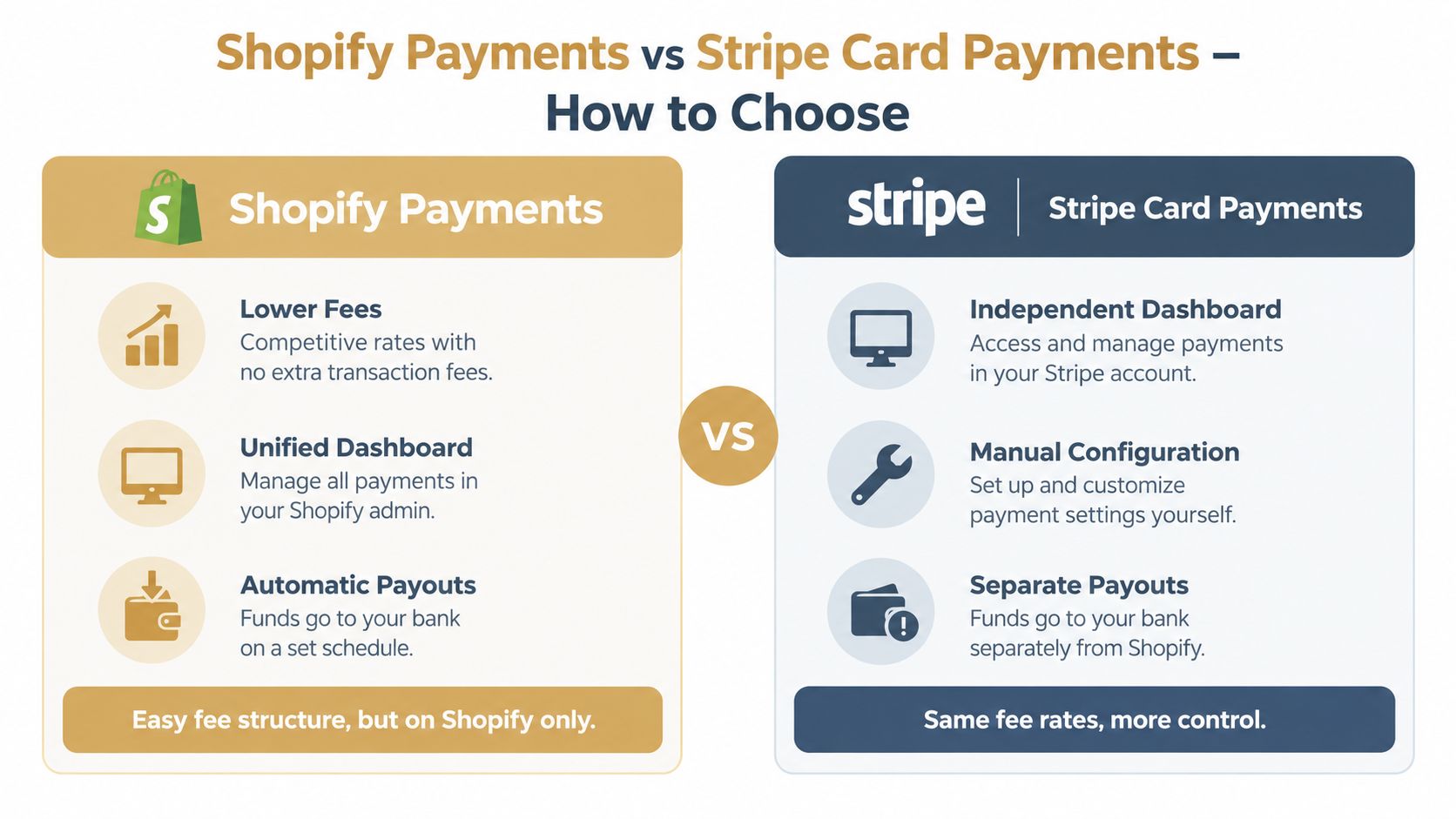
If both options are on the table, the decision usually comes down to cost, control, and workflow friction. Most merchants only compare logos. That's the wrong comparison.
The simplest rule
For most standard stores, Shopify Payments is easier. For stores that need specific Stripe-driven workflows, Stripe Card Payments can still make sense, but you need a real reason.
The hidden tradeoff is cost. A comparison published in 2026 notes that using Stripe as a third-party provider on Shopify usually adds a 0.5% to 2% Shopify platform fee on top of Stripe's normal card processing fee, which can wipe out Stripe's pricing advantage for many stores (Shopify Payments vs Stripe comparison).
Where Shopify Payments usually wins
Shopify Payments is the cleaner operational choice when you want one admin, one reporting flow, and fewer moving parts at launch.
That matters more than people admit. Most stores don't need payment architecture freedom. They need checkout to work, orders to sync, payouts to be understandable, and support staff to find answers without checking multiple systems.
Practical rule: If your store sells one-time purchases and you don't have a Stripe-specific requirement, keep the payment stack as close to native Shopify as possible.
Where Stripe Card Payments earns its keep
Stripe Card Payments becomes worth considering when your business already depends on Stripe-specific tooling or account structure. That can include subscription workflows, separate payout handling preferences, or internal finance processes built around Stripe accounts.
The catch is that merchants often expect the full native Stripe experience and don't get it inside Shopify. Community and support discussions point out that merchants may not get the Stripe dashboard experience, payment_intent IDs, or Stripe-originated webhooks they expect because Shopify remains the main integration layer. Those same discussions also note that using Stripe as a third-party gateway can introduce separate dashboards, separate payout handling, and different reporting workflows (Shopify community discussion on Stripe integration tradeoffs).
Shopify Payments vs Stripe Card Payments at a Glance
| Feature | Shopify Payments | Stripe Card Payments |
|---|---|---|
| Setup path | Native in Shopify | Installed as a third-party provider flow |
| Reporting | Centralized in Shopify admin | Can involve separate reporting workflows |
| Dashboard experience | Shopify-first | More Stripe-linked, but not always fully native |
| Payout handling | Managed within Shopify's payment flow | Can be more separate depending on setup |
| Extra platform fee | Typically avoids the added third-party layer discussed above | Usually comes with an added Shopify platform fee on top of Stripe processing |
| Best fit | Standard Shopify stores | Stores that need Stripe-specific capabilities |
A decision checklist that works
- Stay with Shopify Payments if your priority is simpler operations, fewer moving parts, and lower friction for support and finance.
- Choose Stripe Card Payments if your team already depends on Stripe account structure or features that justify added complexity.
- Pause the decision if the only reason is “we already know Stripe.” Familiarity alone usually isn't enough to justify the extra workflow overhead.
Connecting Stripe Card Payments to Your Shopify Store
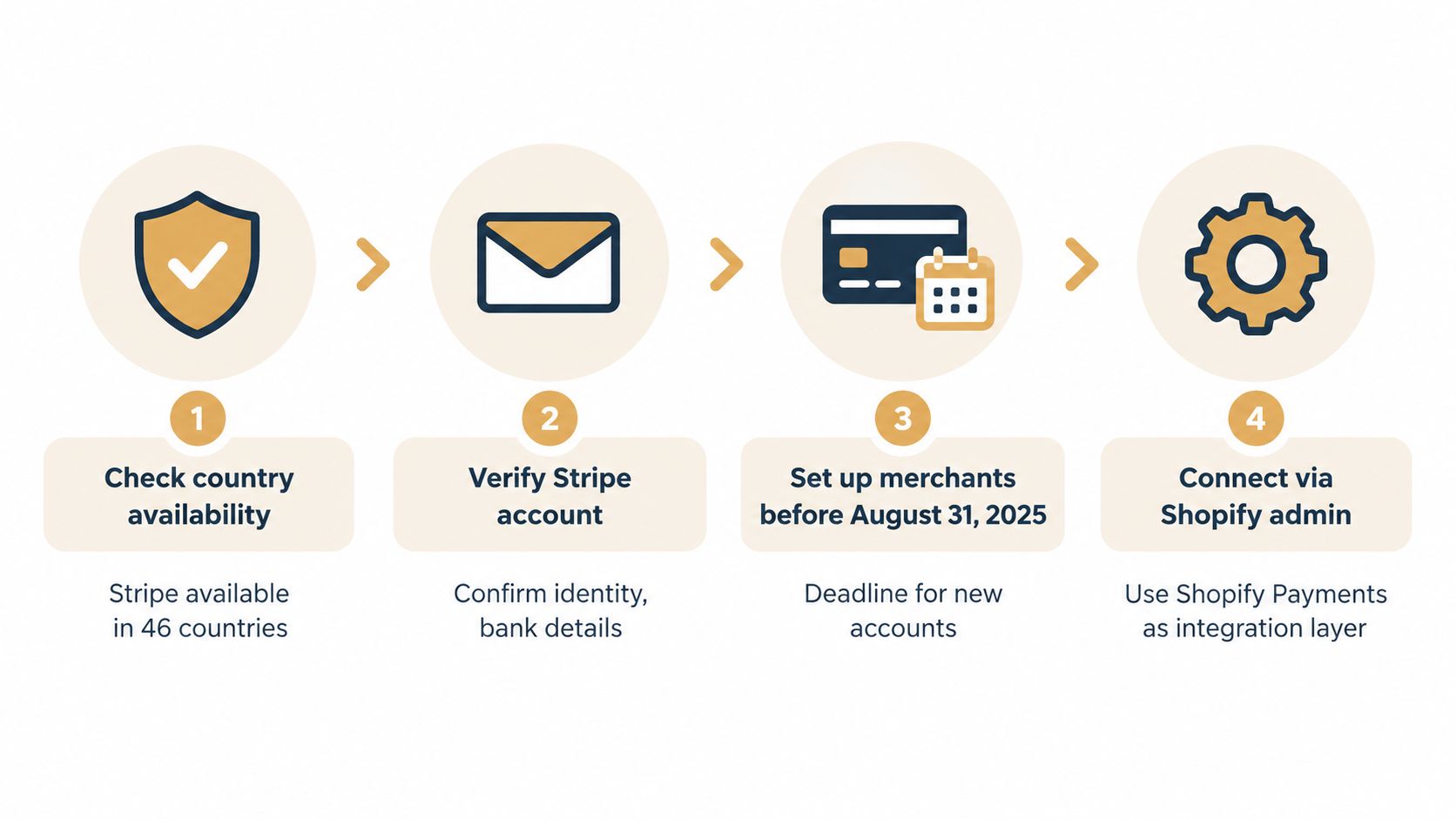
Once you've decided that Stripe Card Payments is the right fit, the setup is fairly direct. The problem isn't the click path. The problem is whether your store is eligible to use that path.
Start by checking the basics. Your store's country matters, your Stripe account needs to be fully usable, and any legacy Stripe setup should be reviewed early if you're still on the older provider model.
The setup path inside Shopify
Stripe's support documentation lays out the practical flow clearly. In Shopify admin, go to Settings > Payments, choose a third-party provider, select Stripe Card Payments, install the app, confirm the correct Stripe account, and activate the connection. Stripe also notes that if Stripe Card Payments doesn't appear, you may need an installation link from Stripe Support, which is a strong hint that availability depends on the account and region (Stripe support steps for updating Shopify payment provider).
That path sounds simple because it is. The failure points are usually around eligibility and account matching, not the actual install.
What I check before activation
When I wire this for a store, I verify three things before anyone clicks activate:
- The Stripe account is the right one. Multi-brand businesses often have more than one Stripe account, and Shopify staff can connect the wrong one if they move too fast.
- The business has finished Stripe-side verification. An unfinished account review can create confusing behavior later, especially around payouts.
- The store owner understands the reporting split. If finance expects Shopify-only reporting after launch, that expectation needs to be corrected before go-live.
If Stripe Card Payments isn't visible in Shopify, don't keep refreshing the page and guessing. Check whether Shopify Payments availability or Stripe account status is blocking the option.
For merchants outside the US, local payment gateway rules can add another layer. If you're sorting out processor setup from an Australian operations angle, this guide for Australian business owners gives helpful context on payment gateway integration decisions around compliance, workflows, and implementation planning.
Migration and launch discipline
If you're on the legacy Stripe provider, don't treat migration as a last-minute admin task. Shopify says merchants using that setup must migrate by August 31, 2025, so this should be scheduled like any other payment change, not bundled into a random theme update.
A safer rollout usually looks like this:
- Test in a development environment first: Don't make your first checkout test on a live store during a sales window.
- Confirm account ownership early: Have the person who owns the Stripe account available during setup.
- Document the connection immediately: Save which Stripe account was linked, who approved it, and when the change happened.
If you're still opening a Stripe account or need to confirm the onboarding path before connecting it to Shopify, use the Stripe signup flow as a quick reference point before activation.
A walkthrough can help if the admin screens look different from your store's current setup:
Configuring Webhooks Payouts and Testing Your Checkout
Activation is only the first half of the job. The second half is confirming that your store behaves the way your team expects after money starts moving.
The biggest mistake here is assuming a Shopify-connected Stripe setup will behave like a custom Stripe integration. It often won't.
How to think about webhooks and reporting
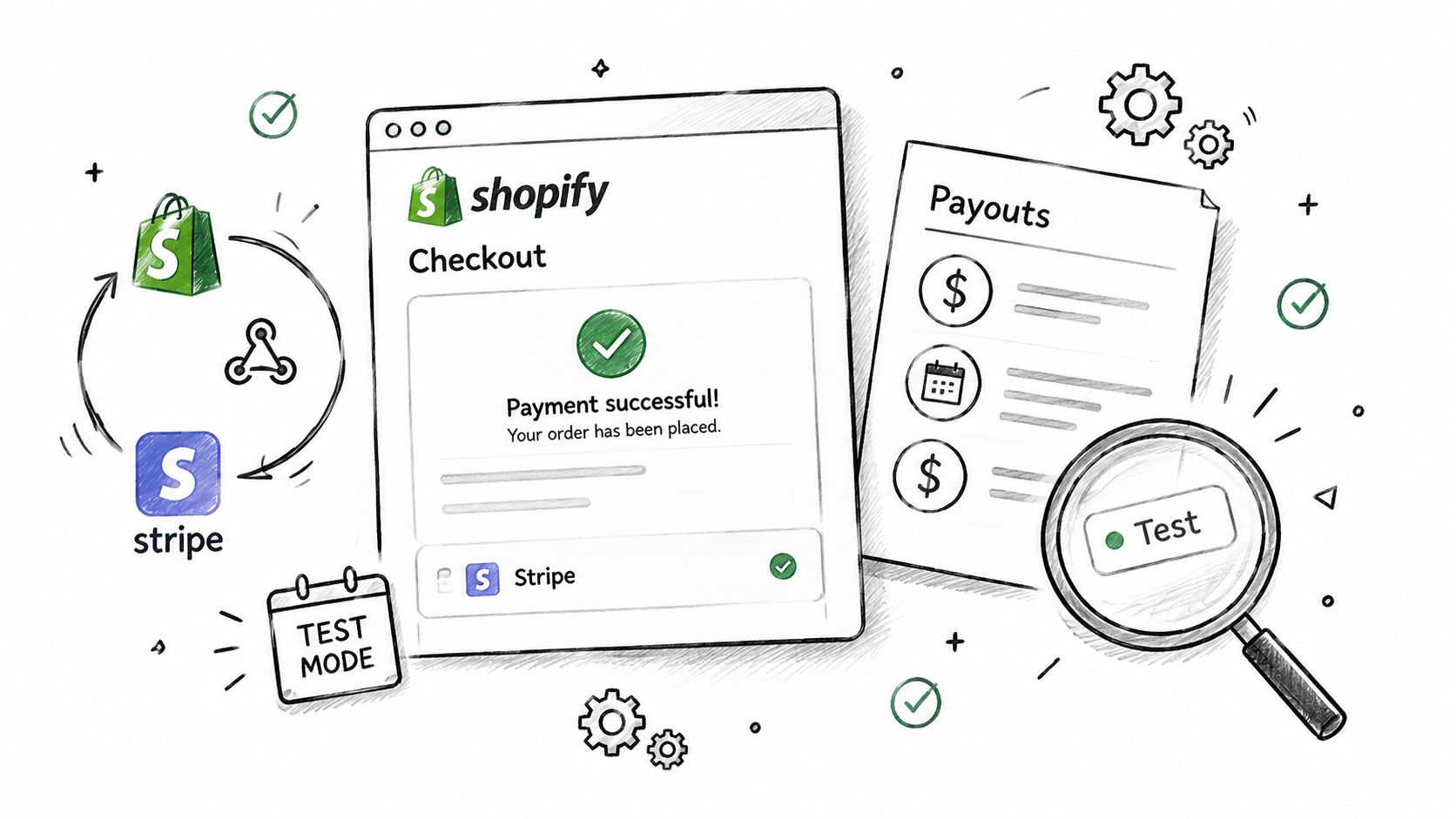
With Shopify in the middle, Shopify remains the integration layer. That affects what data you can expect, which dashboard becomes your daily source of truth, and how events show up downstream.
If your developers expect raw Stripe-style event handling, align that expectation early. The store may process payments through Stripe-linked rails, but the operational surface can still be Shopify-first.
A practical post-activation test flow
After the connection goes live, run through a short but deliberate checkout test:
- Place a real-world style order: Use a low-risk internal test purchase flow that mirrors a normal customer checkout.
- Verify order creation in Shopify: Confirm the order lands correctly with payment status where your support team expects to find it.
- Review payout visibility: Check where payout timing and status appear for your team.
- Test event-dependent workflows: If you rely on subscriptions, fulfillment triggers, or accounting syncs, make sure those downstream actions still fire correctly.
Don't test only whether the card is accepted. Test whether support, finance, and operations can all follow the transaction after the sale.
If your store has any history of payout delays, reserves, or sudden review friction, it's also smart to understand the broader causes of a Shopify payments hold before scaling traffic. A gateway setup can be technically correct and still create operational problems if the business side isn't prepared.
What “working” actually means
For a production store, “working” means more than a successful checkout.
It means the merchant can reconcile orders, support can answer payment questions, finance can track payout movement, and any subscription logic behaves predictably. If one of those breaks, the integration isn't really finished. It's just live.
Troubleshooting Common Stripe Integration Issues on Shopify
Most Stripe-on-Shopify issues are not bugs. They're mismatches between what the merchant expects and what Shopify allows.
That's good news, because predictable problems are easier to fix.
Stripe doesn't appear as an option
This is the most common complaint.
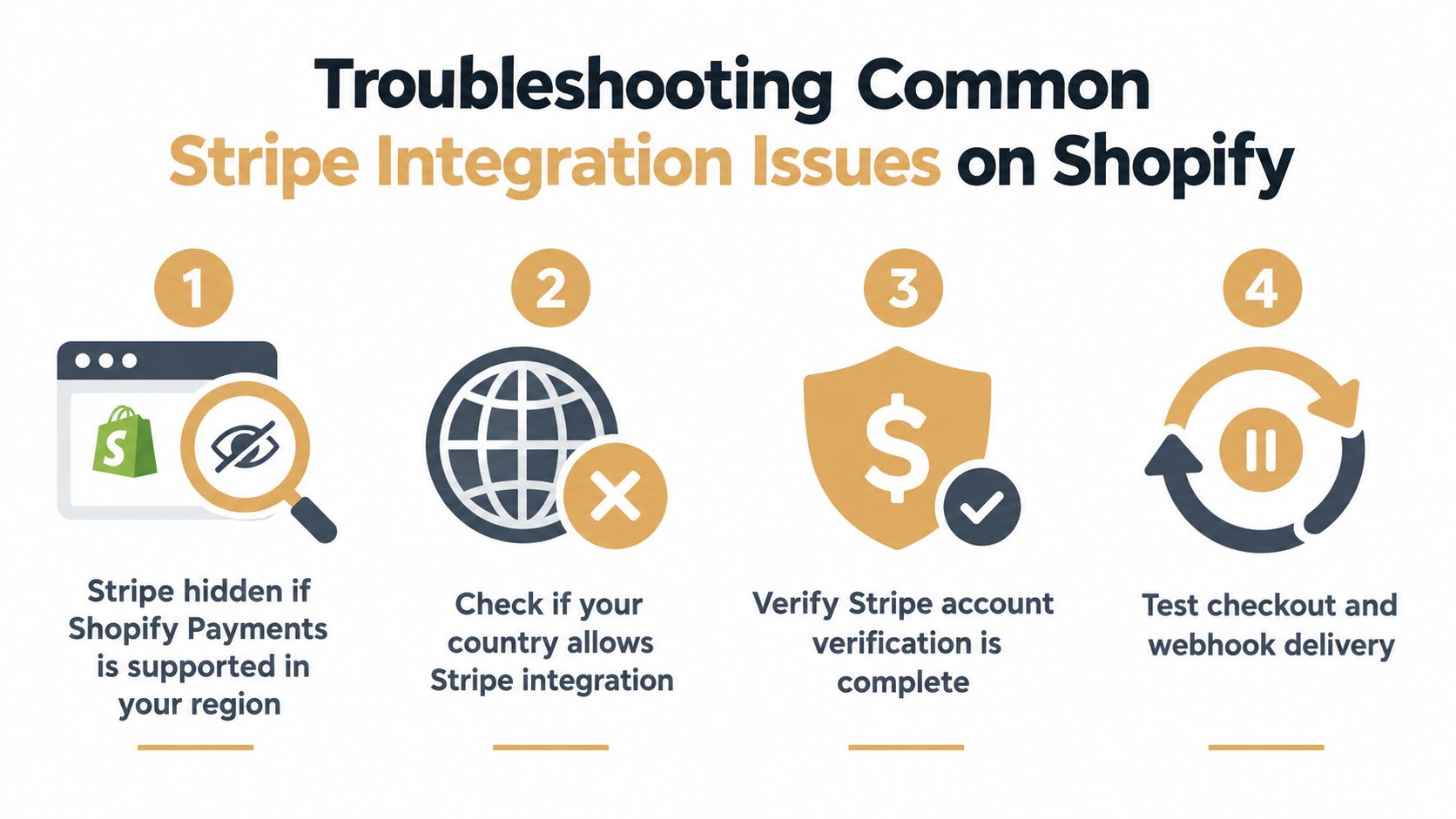
If Stripe is missing, the likely cause is that your store is in a market where Shopify pushes merchants into Shopify Payments rather than exposing standalone Stripe in the old sense. In other cases, the account doesn't have access to Stripe Card Payments yet, which is why Stripe sometimes provides a direct installation link through support.
Fix: stop treating it as a display issue. Confirm country support, provider availability, and whether the account needs help from Stripe Support to access the correct install flow.
Checkout works but the Stripe experience feels incomplete
This usually shows up as comments like “Where are the IDs my developer expected?” or “Why aren't our Stripe-side events showing up the way they do on our other site?”
That's generally a platform-layer issue, not a broken connection. Shopify is still shaping the payment workflow, so some native Stripe behaviors won't look the same.
Fix: define which system is the operational source of truth for orders, payments, and payout review. Don't let staff bounce between tools without a documented workflow.
The wrong Stripe account got connected
This happens more often than merchants think, especially when agencies, internal staff, and finance teams all have partial access.
Fix it immediately. Disconnecting and reconnecting is easier before live order volume builds. Then document the exact account owner, login email, and business entity tied to the store.
Reporting and disputes feel fragmented
The merchant sees one picture in Shopify, another in Stripe-linked workflows, and a third in accounting. That confusion gets worse when disputes start coming in.
Fix: map the workflow by team. Support needs one view, finance needs another, and the owner needs to know where disputes are monitored. If you want an added dispute-prevention layer once the store is live, a tool like Shopify chargeback protection can fit into that process as a separate operational safeguard rather than part of the gateway setup itself.
Best Practices for Subscriptions and Long Term Success
Stripe becomes more defensible on Shopify when the store has a genuine need for subscription billing or Stripe-specific payment operations. If that need is weak, the extra complexity tends to outlive the benefit.
For subscription-heavy stores, the healthiest setup is the one your team can still understand six months later. That means documenting which Stripe account is connected, testing checkout after major app or Shopify changes, and reviewing payout reporting on a regular cadence.
The habits that prevent ugly surprises
- Re-test after platform changes: Payment flows can drift after theme edits, app installs, or checkout-related updates.
- Keep account ownership clear: One of the fastest ways to create payout confusion is losing track of who controls the Stripe account tied to the store.
- Watch disputes early: Subscription businesses and repeat-billing brands should monitor dispute patterns before they become an account-level problem.
- Choose tooling based on workflow, not branding: A familiar payment brand doesn't help if reporting, support, and finance all work from different assumptions.
The right setup is the one your team can explain, test, and support without guessing.
If you're choosing between Shopify Payments and Stripe Card Payments, use a hard standard: pick the option that fits your actual operations, not the one that sounds more flexible on paper.
If your Shopify store uses Stripe, Shopify Payments, or a mix of payment tools, disputes can still become the weak point after checkout is live. Disputely helps merchants catch chargeback alerts early by connecting with processor and card-network alert systems, so you can refund in time and prevent many disputes from turning into filed chargebacks. It's a practical layer to add once your payment setup is stable and you want fewer surprises after the sale.


